
Windows · Internet
Best Linux alternatives to Parsec
Parsec is a low-latency remote desktop tool built for gaming and high-performance screen sharing over the internet.
Updated
Quick answer
The best Linux alternative to Parsec is Remmina. Other strong options: GNOME Remote Desktop, TigerVNC Viewer, NoMachine Player.
6 Linux alternatives to Parsec
-

Remmina is a Linux remote desktop client supporting RDP, VNC, SSH, and X2Go for connecting to remote systems from GTK-based desktops.
Remmina is not a good replacement for Parsec if your priority is low-latency gaming or high-performance remote streaming over the internet. It excels at secure, protocol-based remote access via RDP, VNC, and X2Go—ideal for remote work or system administration—but lacks Parsec’s optimized streaming…
Feature parity40% -
GNOME Remote Desktop is a built-in VNC server for Linux that allows remote access to your graphical session using standard VNC clients.
GNOME Remote Desktop is not a good replacement for Parsec if you need low-latency streaming, gaming support, or responsive input. It uses standard VNC, which is designed for desktop access, not performance. Audio streaming is not supported, and frame rates rarely exceed 30 FPS, making it unsuitable…
Feature parity30% -
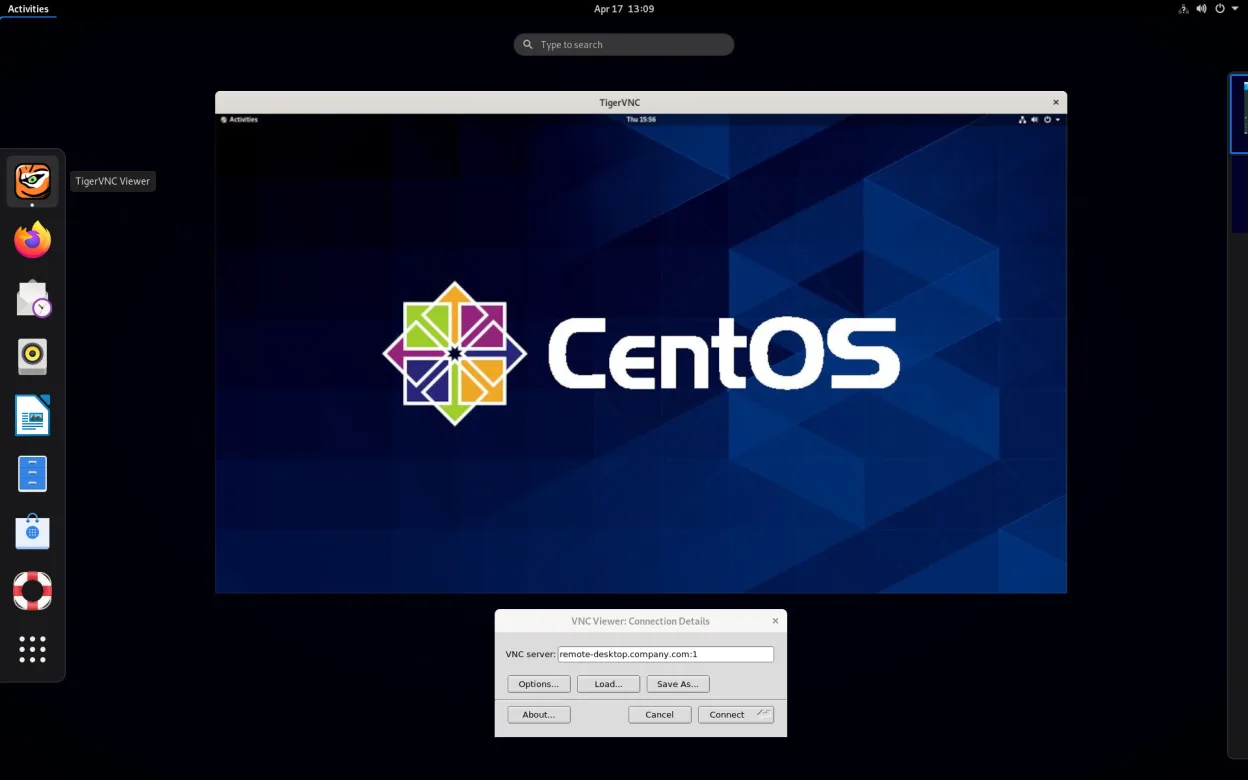
TigerVNC Viewer is a GPL‑licensed client for connecting to remote VNC desktops on Linux.
TigerVNC Viewer is not a good replacement for Parsec if you need low-latency gaming or high-performance remote access over the internet. It works well for desktop sharing on a local network with acceptable latency, but lacks Parsec’s optimized protocols for 60+ FPS and gamepad support. Audio…
Feature parity40% -

NoMachine Player is a proprietary remote desktop client that connects to Linux, Windows, or macOS hosts running NoMachine.
NoMachine Player is a solid alternative to Parsec for remote desktop access with low latency, especially on Linux, but it's not ideal for gaming. It handles desktop streaming, audio, and input well over local networks, but doesn't prioritize frame rates above 60 FPS or peer-to-peer simplicity the…
Feature parity65% -
A VNC server for X11 that lets you control your Linux desktop remotely from any VNC client.
x11vnc is not a good replacement for Parsec if you need low-latency gaming or high-FPS remote streaming. It works for basic remote desktop access over a local network, but suffers from high latency, no built-in audio streaming, and poor responsiveness at distance. While it runs on Linux and…
Feature parity30% -
FreeRDP is an open-source implementation of the Remote Desktop Protocol, allowing you to connect to Windows or Linux remote desktops.
FreeRDP is not a good replacement for Parsec if you're focused on low-latency gaming or high-frame-rate remote streaming over the internet. It excels at secure, standards-based remote desktop access using RDP, especially within local networks or for productivity tasks, but wasn't designed for…
Feature parity40%



What is Parsec?
Parsec is primarily used by gamers and remote workers who need high-frame-rate screen streaming with minimal lag. It allows users to run applications or games on a powerful machine and control them from a less powerful device over a network or the internet. Its performance makes it popular for cloud gaming, remote workstations, and collaborative environments.
The software is proprietary and operates on a freemium model. The free version supports basic remote connections with some limitations, while paid plans unlock higher resolutions, faster frame rates, and additional features like host-to-host connections and user management. There's no open-source version.
People look for Linux alternatives because Parsec, while available on Linux, has limited support and occasional instability on the platform. Others prefer fully open-source tools or want to avoid proprietary software. Additionally, some users need tighter integration with Linux desktop environments or want to avoid reliance on third-party services.
What a replacement for Parsec must do
- Low-latency screen streaming
- Remote desktop access with audio
- Cross-platform compatibility
- Support for high frame rates (60+ FPS)
- Easy setup and direct connections
- Input responsiveness (keyboard/mouse/gamepad)
- Local network and internet use
Can you run Parsec on Linux?
Parsec has a native Linux client for Ubuntu-based distributions, available as a .deb package from its website. It runs reasonably well on other distros via manual installation, but updates and compatibility can be inconsistent. Performance is generally good for local network use, though some users report issues with audio or Wayland. There is no web version, and running it through Wine or Proton is unnecessary since a native version exists.
Which alternative should you choose?
For general remote desktop use, Remmina and GNOME Remote Desktop are solid choices, especially on GNOME-based systems. NoMachine Player offers high-performance streaming similar to Parsec and works well over the internet. TigerVNC Viewer and x11vnc are better for simple, local network access with minimal configuration. FreeRDP is ideal for connecting to Windows machines securely. Gamers seeking Parsec-like performance should test NoMachine first.
Moving your Parsec files and habits
Parsec doesn't use proprietary file formats, so migrating is straightforward. Connection settings like IP addresses and passwords must be re-entered in the new software. There's no direct import feature, but most alternatives support standard VNC or RDP protocols. Users should document their host configurations and access credentials before switching. Saved sessions in Parsec cannot be exported, so manual recreation is required.
Side-by-side comparison
| App | License | Flatpak | Latest version | Feature parity | Rating |
|---|---|---|---|---|---|
| Remmina | GPL-2.0+ | ✓ | 1.4.43 | 40% | — |
| GNOME Remote Desktop | GPL-3.0 | — | 51.0 | 30% | — |
| TigerVNC Viewer | GPL-2.0-or-later | ✓ | 1.14.0 | 40% | — |
| NoMachine Player | LicenseRef-proprietary | ✓ | 10.2.3_1 | 65% | — |
| x11vnc | GPL-2.0 | — | 0.9.17 | 30% | — |
| FreeRDP | Apache-2.0 | — | 3.32.2 | 40% | — |
Parsec: frequently asked questions
Can Parsec run on Linux?
Yes, Parsec has a native Linux client, though it's primarily tested on Ubuntu and may require extra steps on other distributions.
Is Parsec free to use on Linux?
The basic version is free, but advanced features like 4K streaming and host permissions require a paid subscription, same as on Windows.
Which Linux alternative supports game streaming like Parsec?
NoMachine Player offers the closest experience for high-performance and low-latency streaming, including gaming.
Do I need a server setup for these alternatives?
Yes, most require configuring a host (like x11vnc or NoMachine host) on the machine being accessed, similar to Parsec's host mode.
How important is Parsec to you?
Know a better alternative? Suggest an alternative