
Windows · Sound & Video
Best Linux alternatives to Pinnacle ShowCenter
Pinnacle ShowCenter was a Windows media player with a 10-foot interface for playing DVDs, CDs, and video files on TVs.
Updated
Quick answer
The best Linux alternative to Pinnacle ShowCenter is Kodi. Other strong options: Plex, Jellyfin Desktop, mpv.
5 Linux alternatives to Pinnacle ShowCenter
-

Kodi is a free, open-source media center for playing video, music, and podcasts from local or network sources.
Kodi is a strong replacement for Pinnacle ShowCenter, especially for users who want a free, open-source media center with a 10-foot interface. It supports DVD and CD playback, handles common video formats, and works well with remote controls on a living room PC. Its library management, hardware…
Feature parity95% -
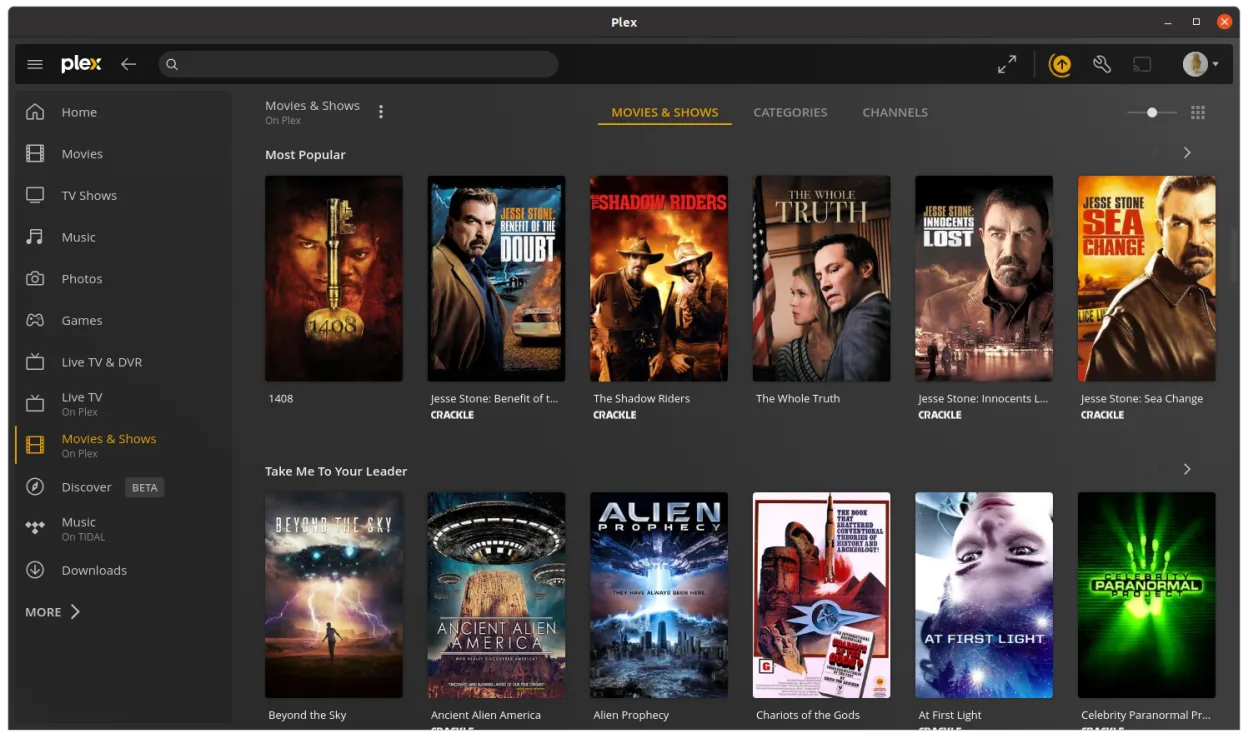
Plex client for Linux provides a desktop interface for streaming media from a Plex server with enhanced playback features.
-

Jellyfin Desktop is a local media player for Jellyfin servers, built with Qt WebEngine and libmpv for smooth playback.
Jellyfin Desktop is a good replacement for Pinnacle ShowCenter if you already run a Jellyfin server or don’t mind setting one up. It delivers a responsive 10-foot interface with remote-friendly navigation, hardware-accelerated playback, and support for DVDs, CDs, and common video formats. However…
Feature parity70% -

mpv is a free, open‑source, cross‑platform media player that plays almost any video or audio format.
-
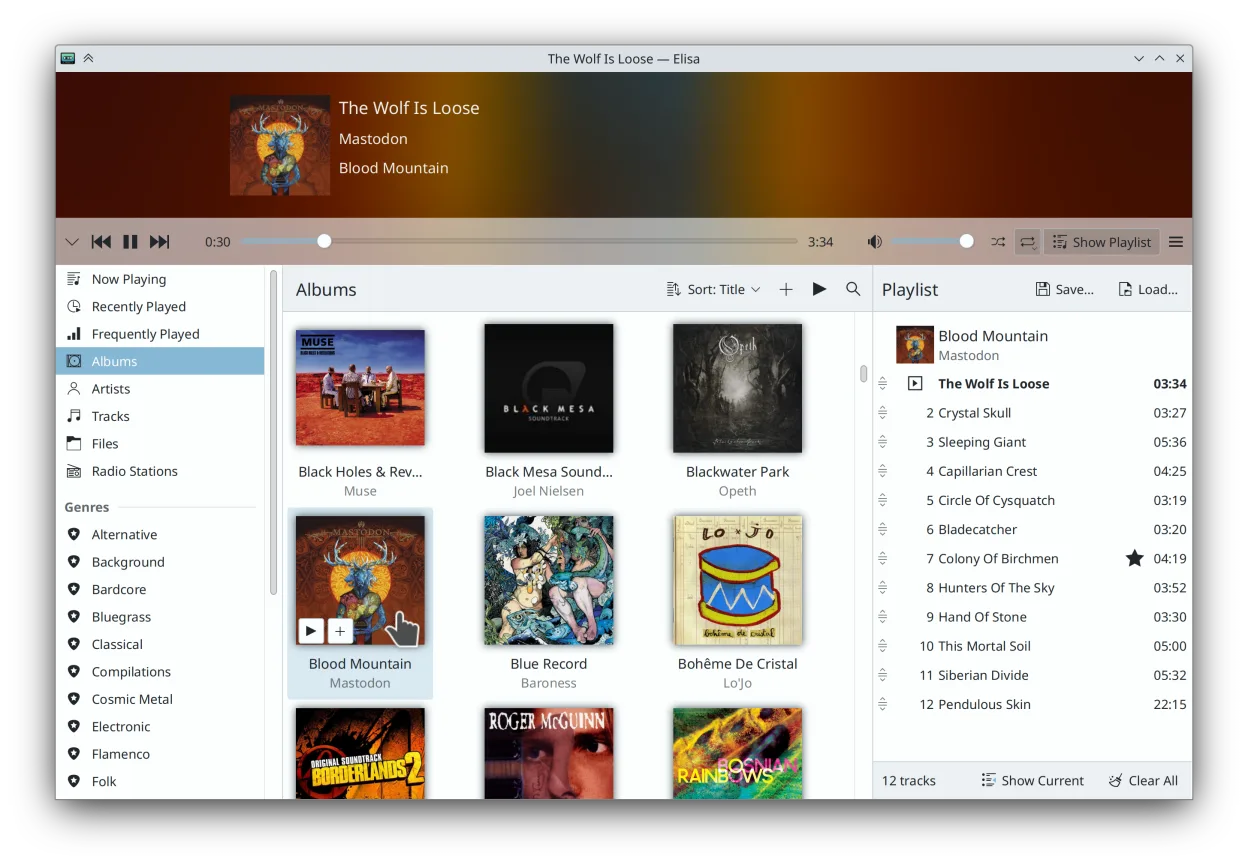
Elisa is a lightweight music player for Linux that plays local files and streams online radio, built by KDE.





What is Pinnacle ShowCenter?
Pinnacle ShowCenter was designed for home theater PCs, letting users browse and play local media like DVDs, CDs, and video files from a distance using a remote. It targeted users who wanted a TV-friendly interface for their media libraries, especially those integrating PCs into living room setups.
It was proprietary software, distributed as paid or bundled with Pinnacle hardware. The product is discontinued, with no updates or support for modern systems. Licensing was tied to specific hardware or retail copies.
People seek Linux alternatives because ShowCenter is obsolete and incompatible with current Windows versions. Users want similar ease-of-use, remote navigation, and support for physical media and local files — now on modern, supported platforms.
What a replacement for Pinnacle ShowCenter must do
- Play DVDs and CDs
- Support common video file formats
- 10-foot user interface for TV viewing
- Remote control navigation
- Local media library management
- Hardware acceleration for smooth playback
- Minimal setup on a living room PC
Can you run Pinnacle ShowCenter on Linux?
There is no native Linux version of Pinnacle ShowCenter. It does not run reliably under Wine, Proton, or Bottles due to its age and reliance on legacy Windows APIs and DRM. The software was designed for Windows XP-era systems and lacks compatibility with modern Linux or compatibility layers. No web version exists. Users must switch to alternative media center software.
Which alternative should you choose?
Kodi fits users wanting a full-featured 10-foot interface with add-ons and customization. Plex is best for those already using its ecosystem across devices. Jellyfin Desktop works well for self-hosted media with no cost. mpv is ideal for minimalists who want high-quality playback without a library interface. Elisa offers a simple, integrated KDE experience for local file browsing.
Moving your Pinnacle ShowCenter files and habits
No direct way exists to export ShowCenter settings or libraries. However, your media files (DVDs, CDs, videos) remain accessible on Linux. Convert disc-based content to ISO or ripped files if needed. Most listed apps support standard formats like MKV, MP4, AVI, and audio CDs. Metadata and playlists must be recreated manually or via third-party tools.
Side-by-side comparison
| App | License | Flatpak | Latest version | Feature parity | Rating |
|---|---|---|---|---|---|
| Kodi | GPL-2.0-only… | ✓ | 21.3-Omega | 95% | — |
| Plex | LicenseRef-proprietary=https… | ✓ | 1.115.0 | — | — |
| Jellyfin Desktop | GPL-2.0 | ✓ | 2.0.0 | 70% | — |
| mpv | GPL-2.0+ AND… | ✓ | v0.41.0 | — | — |
| Elisa | LGPL-3.0 | ✓ | 26.08.2 | — | — |
Pinnacle ShowCenter: frequently asked questions
Can I still install Pinnacle ShowCenter on a modern Windows PC?
No, it is not compatible with Windows 10 or 11. Even if installed, DRM and driver issues prevent reliable playback.
Does any Linux app look and feel like ShowCenter?
Kodi and Jellyfin Desktop offer similar 10-foot interfaces optimized for TVs and remote controls.
Can I play DVDs with these Linux alternatives?
Yes, but you may need to install libdvdcss separately to decrypt commercial DVDs.
Is there a direct replacement that supports Pinnacle hardware?
No. Pinnacle hardware is obsolete and not supported on Linux. Use standard USB or internal drives instead.
How important is Pinnacle ShowCenter to you?
Know a better alternative? Suggest an alternative