
Windows · Graphics
Best Linux alternatives to Aseprite
Aseprite is a pixel art and animation editor with layers, frames, and tilemaps, available on Linux but proprietary.
Updated
Quick answer
The best Linux alternative to Aseprite is Krita. Other strong options: Pinta, GIMP, MyPaint.
4 Linux alternatives to Aseprite
-

Krita is a full‑featured open‑source digital painting and illustration program.
Krita is not a direct replacement for Aseprite if your work depends on frame-based sprite animation or tilemaps. It is a superior tool for static pixel art or digital painting, offering advanced brush engines and color space support. However, it lacks the dedicated timeline, onion skinning, and…
Feature parity40% -

Pinta is a free, open‑source bitmap editor that mimics Paint.NET with a simple interface and layer support.
Pinta can replace Aseprite for very basic pixel art and simple frame‑based animation, but it lacks many specialized tools that Aseprite offers. It is suitable for hobbyists who need a lightweight, free editor for small sprite sheets and simple onion‑skin animations. For serious pixel artists or…
Feature parity35% -

GIMP is a free, open-source raster graphics editor for photo editing, digital painting, and image composition.
GIMP is a partial replacement for Aseprite, suitable only if you primarily need static sprite sheet creation and do not require frame-by-frame animation editing. It lacks a native timeline, onion skinning, and tilemap editor, which are central to Aseprite's workflow. If your project involves…
Feature parity40% -
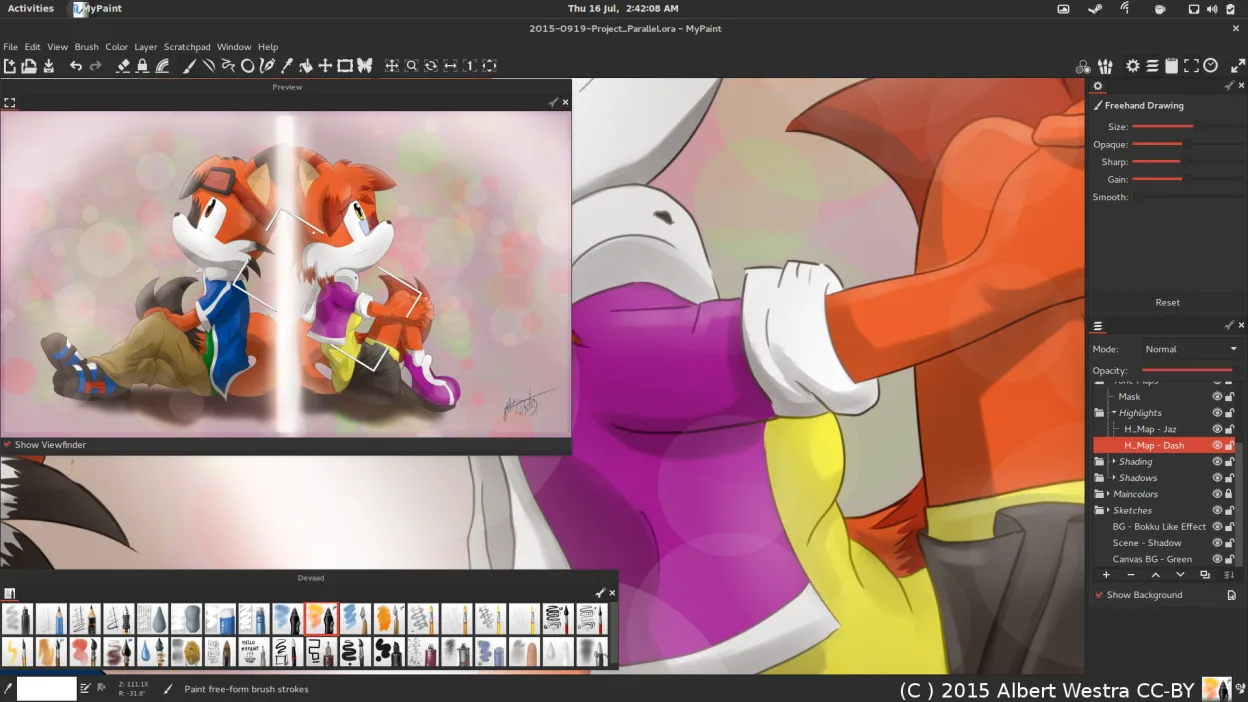
MyPaint is a fast, free, open‑source raster painting program focused on brush dynamics and tablet use.
MyPaint is not a suitable replacement for Aseprite. While both are raster editors, MyPaint is designed for freehand digital painting with complex brush dynamics, whereas Aseprite is built for pixel art and frame-based animation. If you need to create sprites, tilemaps, or animated GIFs with an…
Feature parity15%




What is Aseprite?
Aseprite is a specialized tool for creating pixel art and sprite animations. It is widely used by game developers, indie artists, and hobbyists who need precise control over individual pixels. The interface is designed to keep the workflow simple while offering deep functionality for frame-by-frame animation and sprite sheet management.
The software follows a freemium model. You can download and use the full version for free, though it displays a startup banner. Purchasing a license removes the banner and supports development. It is also available through major digital storefronts like Steam and Itch.io. The source code is available, but the license restricts commercial redistribution without a paid agreement.
Many users look for Linux alternatives because they want to avoid proprietary licensing, prefer open-source software, or simply want a tool that integrates more naturally with their Linux desktop environment. While Aseprite runs on Linux, some users seek native, fully open options that align with their philosophy of software freedom and community-driven development.
What a replacement for Aseprite must do
- Pixel-perfect drawing tools
- Frame-based animation timeline
- Layer support for sprites
- Sprite sheet export options
- Tilemap editing capabilities
- Onion skinning for animation
Can you run Aseprite on Linux?
Aseprite has a native Linux version. You can download the binary directly from the official website or install it via Steam. It runs well on most distributions without needing Wine or Proton. Since it is a native application, performance is generally good, and it integrates properly with your system's file manager and display settings. There is no web version, but the desktop app is fully functional on Linux.
Which alternative should you choose?
If you need professional-grade animation features, Krita is the closest match, though it is more complex. For simple pixel art without animation, Pinta or GIMP can handle basic drawing and layering. MyPaint is better for freehand brush work rather than precise pixel editing. Tux Paint is aimed at children and beginners, so it lacks the professional tools found in Aseprite. Choose Krita for serious work, and GIMP or Pinta for static images.
Moving your Aseprite files and habits
Aseprite uses its own .aseprite file format, which stores layers, frames, and metadata. Most Linux alternatives like GIMP or Krita cannot natively open .aseprite files. You will need to export your work as PNG sequences, sprite sheets, or GIFs from Aseprite before importing them into another editor. For ongoing projects, it is best to keep working in Aseprite or export assets in a universal format like PNG for use in game engines.
Side-by-side comparison
Aseprite: frequently asked questions
Is Aseprite free on Linux?
Yes, you can download and use it for free. A banner appears at startup, but all features are unlocked. Buying a license removes the banner and supports the developers.
Can Krita replace Aseprite for animation?
Krita has strong animation features, but it is designed for traditional and digital painting. It is less specialized for pixel art and sprite sheets than Aseprite, but it is a viable open-source alternative for many users.
Does Aseprite work with Wine?
You do not need Wine. Aseprite has a native Linux build that runs directly on your system, offering better performance and integration than running the Windows version through a compatibility layer.
What file format does Aseprite use?
The native format is .aseprite. It can also export to PNG, GIF, APNG, and other common formats. Most other editors cannot open .aseprite files directly, so you must export your work.
How important is Aseprite to you?
Know a better alternative? Suggest an alternative