
Windows · Office
Best Linux alternatives to Google Keep
Google Keep is a lightweight note-taking app for quick notes, lists, reminders, and collaboration, synced across devices via Google's ecosystem.
Updated
Quick answer
The best Linux alternative to Google Keep is Joplin. Other strong options: Standard Notes, CherryTree, Zim.
6 Linux alternatives to Google Keep
-

Joplin is an open‑source, cross‑platform note‑taking and to‑do app that stores data in Markdown.
Joplin is a good replacement for Google Keep if you prioritize privacy, local control, and long-term data ownership over simplicity and real-time collaboration. It covers core note-taking and to-do list needs with strong Markdown support, end-to-end encryption, and reliable sync via third-party…
Feature parity75% -
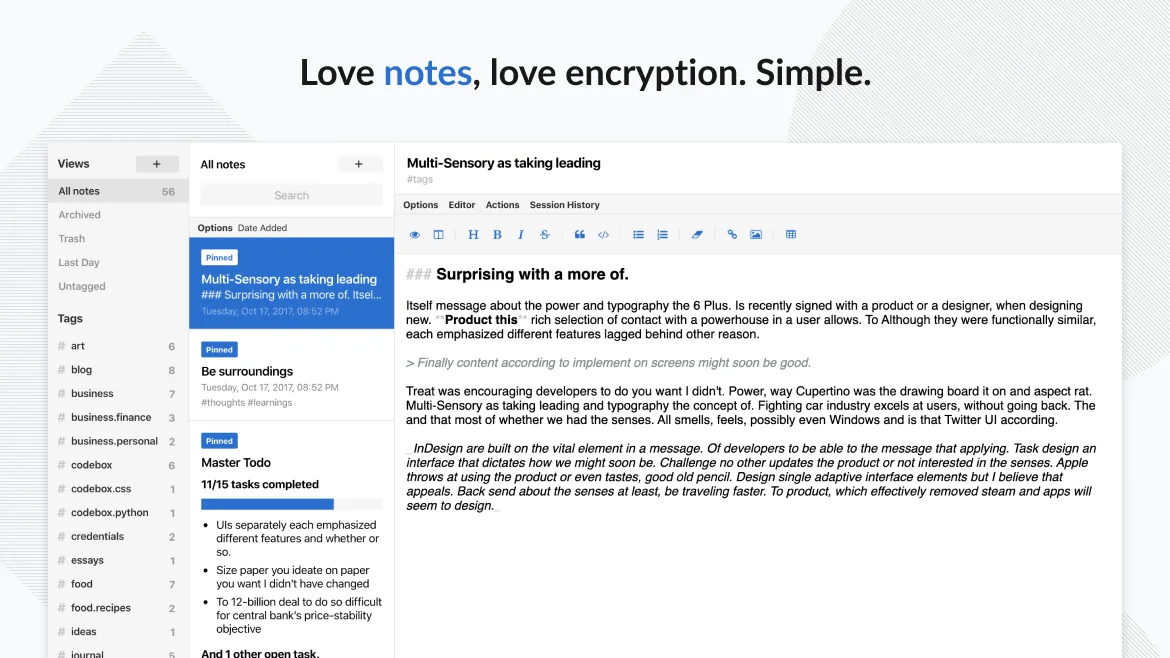
Standard Notes is a cross‑platform, end‑to‑end encrypted notes app that syncs securely across devices.
Standard Notes is a solid replacement for Google Keep if your priority is privacy and long-term note security. It handles core tasks like text notes, to-do lists, tagging, pinning, and cross-device sync well. However, it lacks built-in voice notes, real-time collaboration, and OCR for image text…
Feature parity75% -
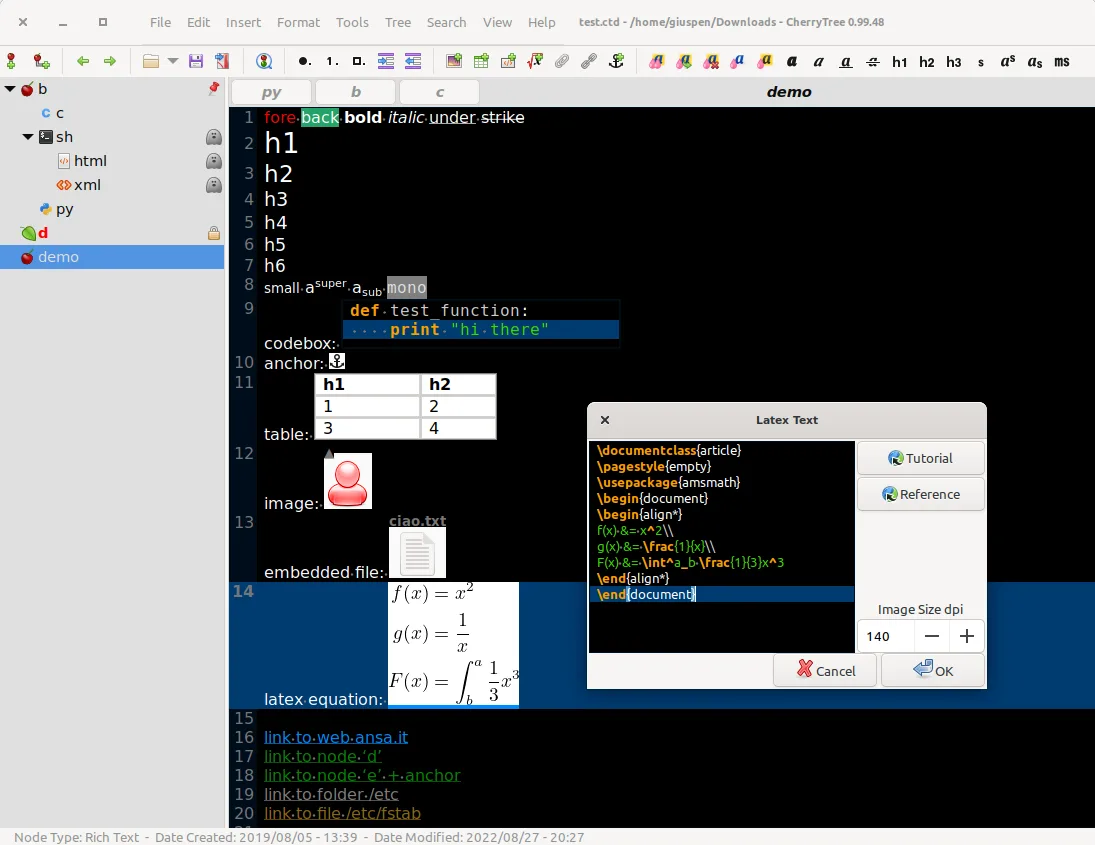
CherryTree is a hierarchical note-taking app with rich text, code highlighting, and file export options.
CherryTree is a solid replacement for Google Keep if you prioritize local control, rich content, and structured organization over cloud sync and collaboration. It excels at storing formatted notes, code snippets, images, and links in a hierarchical tree, making it ideal for personal knowledge…
Feature parity60% -
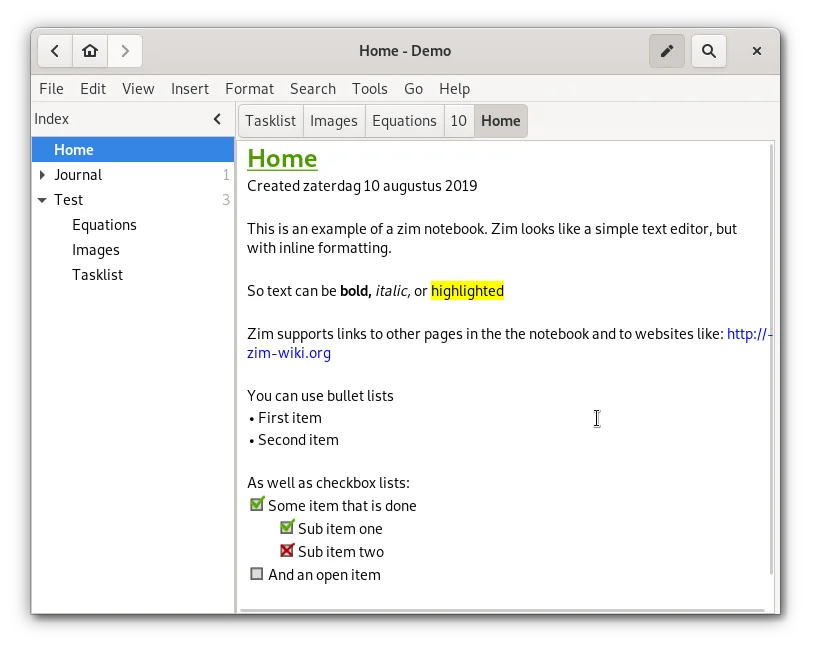
Zim is a desktop wiki for taking and organizing notes in plain text files.
Zim is a decent replacement for Google Keep if you prioritize local control, plain-text organization, and hierarchical note management over real-time sync and collaboration. It works well for users who take structured, text-heavy notes and want full offline access. However, it lacks cloud sync…
Feature parity50% -

Obsidian is a markdown‑based knowledge‑base app that stores notes as plain‑text files in a local folder.
Obsidian is not a direct replacement for Google Keep for most casual users. It excels as a local, markdown-based knowledge base with deep linking and customization, but lacks built-in sync, reminders, and collaboration features out of the box. If you take detailed, interconnected notes and don’t…
Feature parity45% -
Notejot is a lightweight KDE sticky note application that pins notes to your desktop for quick reminders.
Notejot is not a good replacement for Google Keep for users who rely on cross-device sync, collaboration, or cloud-backed notes. It serves a completely different purpose: desktop-sticky reminders rather than synced, shareable notes. If your workflow centers on quick, temporary desktop annotations…
Feature parity20%





What is Google Keep?
Google Keep is widely used for capturing quick thoughts, to-do lists, and reminders. Its simplicity appeals to students, professionals, and casual users who need fast, accessible notes across mobile and desktop. The interface is minimal, favoring speed over deep organization.
It's free to use, with no paid tier, supported by Google's advertising and ecosystem. All notes sync via a Google account and are stored in the cloud by default. There's no offline-only mode, and functionality is tied to being logged in.
People seek Linux alternatives because Google offers no native Linux desktop app, and the web version lacks integration with desktop workflows. Others want to avoid Google's ecosystem, prefer open-source tools, or need offline-first or self-hosted options.
What a replacement for Google Keep must do
- Create and organize text notes and to-do lists
- Sync across devices with encryption
- Tag or color-code notes for categorization
- Attach images and extract text via OCR
- Set reminders and pin important notes
- Collaborate or share notes with others
- Access via mobile and desktop
Can you run Google Keep on Linux?
Google Keep has no native Linux desktop application. It runs in any modern browser via the web version at keep.google.com, which is fully functional but requires an internet connection. There is no official support for Wine, Proton, or Bottles, and third-party wrappers are unreliable. Mobile access remains available through Android or iOS apps.
Which alternative should you choose?
Joplin and Standard Notes suit users wanting full sync, encryption, and mobile access without Google. Gnote is ideal for simple, local notes with a clean GTK interface. CherryTree and Zim work best for structured, hierarchical notes offline. Obsidian fits those building a knowledge base with linking. Notejot is good for quick, lightweight notes on Linux desktops.
Moving your Google Keep files and habits
Joplin can import notes directly from Google Keep via JSON export. Other tools require manual transfer or scripting. Google Takeout provides data in JSON or HTML, but formatting and images may not carry over cleanly. OCR text and voice notes are not preserved in export. For full fidelity, take screenshots or use third-party tools.
Side-by-side comparison
| App | License | Flatpak | Latest version | Feature parity | Rating |
|---|---|---|---|---|---|
| Joplin | AGPL-3.0-or-later | ✓ | 3.7.21 | 75% | — |
| Standard Notes | AGPL-3.0-only | ✓ | 3.203.0 | 75% | — |
| CherryTree | GPL-3.0+ | ✓ | b'1.7.2' | 60% | — |
| Zim | GPL-2.0+ | ✓ | 0.77.2 | 50% | — |
| Obsidian | LicenseRef-proprietary=https… | ✓ | 1.15.0 | 45% | — |
| Notejot | GPL-2.0 | — | 3.5.1 | 20% | — |
Google Keep: frequently asked questions
Can I sync Google Keep notes with Linux?
Only via the web browser. There's no native sync client for Linux desktops.
Is Google Keep available on Linux desktops?
Not as a native app. Use the web version in a browser for full functionality.
Does Google Keep work offline on Linux?
No, the web version requires constant internet access to function.
Can I use Google Keep with offline note apps like Zim or Joplin?
Not directly. You can export data manually, but two-way sync isn't supported.
How important is Google Keep to you?
Know a better alternative? Suggest an alternative