
Windows · Internet
Best Linux alternatives to Microsoft Edge (Chromium-based)
Microsoft Edge is a Chromium-based browser from Microsoft, default in Windows 10 and 11, integrating tightly with Microsoft services.
Updated
Quick answer
The best Linux alternative to Microsoft Edge (Chromium-based) is Mozilla Firefox. Other strong options: Google Chrome, Brave, Vivaldi.
5 Linux alternatives to Microsoft Edge (Chromium-based)
-
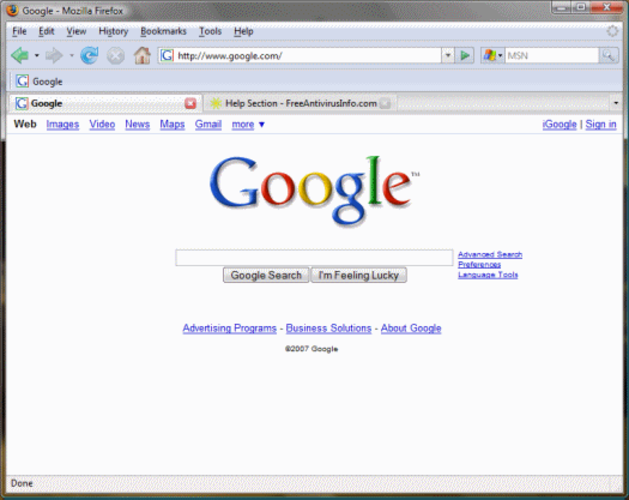
Mozilla Firefox is an open‑source web browser that runs natively on Linux, providing a fast, secure browsing experience.
Firefox is a solid replacement for Edge if you value privacy and open source over tight Microsoft integration. It handles standard browsing, tabs, and extensions well. However, it misses out on Edge-specific features like built-in PDF annotation tools or deep Windows/Office integration. If you rely…
Feature parity85% -

Google's proprietary Chromium-based web browser for Linux, offering a familiar interface and tight integration with Google services.
Google Chrome is a solid replacement for Microsoft Edge if you prioritize speed and extension compatibility over Microsoft ecosystem integration. Both are Chromium-based, so rendering and extension support are nearly identical. However, Chrome lacks Edge’s built-in Windows integration features like…
Feature parity85% -

A privacy-focused Chromium browser that blocks ads and trackers by default, offering a faster and safer web experience.
Brave is a solid replacement for Microsoft Edge (Chromium-based) for users who prioritize privacy and speed over deep OS integration. It handles the same core tasks—browsing, tab management, extensions—while blocking ads and trackers by default, which many find improves performance. If you rely on…
Feature parity85% -

Vivaldi is a highly customizable, feature-rich web browser built for power users who want deep control over their browsing experience.
Vivaldi is a solid replacement for Microsoft Edge (Chromium‑based) for users who want deeper control over the browser. It offers the same core Chromium engine, extension support, and fast browsing, while adding custom UI, advanced tab handling, built‑in mail and notes, and a strong privacy toolkit…
Feature parity80% -

LibreWolf is a privacy‑focused fork of Firefox that ships with telemetry removed and hardened defaults.
LibreWolf is a good replacement for Microsoft Edge (Chromium-based) if your priority is privacy and you don’t rely on Microsoft ecosystem integration. It’s not a Chromium browser, so it won’t behave exactly like Edge, but it handles modern websites well and blocks tracking by default. Ideal for…
Feature parity75%





What is Microsoft Edge (Chromium-based)?
Microsoft Edge is used primarily for web browsing, offering a familiar interface and deep integration with Windows and Microsoft 365 services. It's aimed at everyday users, enterprise environments, and those embedded in the Microsoft ecosystem. The browser supports extensions, syncing, and productivity tools like Collections.
It's free to use but proprietary, developed and maintained by Microsoft. While the underlying Chromium engine is open-source, Edge itself is not. Microsoft funds development and includes it as part of the Windows OS at no extra cost.
People seek Linux alternatives because Edge is not natively available on Linux outside of limited preview builds. Most Linux users prefer open-source, community-driven browsers. Others want to avoid Microsoft's telemetry or simply use distributions that don't support Edge.
Can you run Microsoft Edge (Chromium-based) on Linux?
There is no officially supported, stable Linux version of Microsoft Edge. A limited beta version was briefly available but has been discontinued. It does not run reliably under Wine, Bottles, or Proton. Users should not depend on Edge for Linux. The web version of some Edge services (like workspaces) may be accessible via any browser, but the browser itself is not available.
Which alternative should you choose?
Firefox and LibreWolf are ideal for privacy-focused users wanting strong defaults and open-source integrity. Chrome works for those needing exact Chromium compatibility and Google integration. Brave offers built-in ad-blocking and privacy features with Chromium familiarity. Vivaldi suits power users who want deep customization. Choose Firefox for balance, Brave for privacy with less setup, Chrome if you rely on Google sync, and Vivaldi for advanced tab and UI control.
Moving your Microsoft Edge (Chromium-based) files and habits
You can export bookmarks and passwords from Edge as HTML or CSV files and import them into Firefox, Chrome, or Brave. Most Linux browsers support Chrome extensions, so add-ons can be reinstalled. Sync accounts (Google, Firefox, Microsoft) can transfer data manually. Site-specific settings and saved sessions may not transfer directly. Always verify imported data in the new browser.
Side-by-side comparison
| App | License | Flatpak | Latest version | Feature parity | Rating |
|---|---|---|---|---|---|
| Mozilla Firefox | MPL-2.0 | — | — | 85% | — |
| Google Chrome | LicenseRef-proprietary | ✓ | 158.0.8127.88-1 | 85% | — |
| Brave | MPL-2.0 | ✓ | 1.100.59 | 85% | — |
| Vivaldi | LicenseRef-proprietary | ✓ | 8.3.4191.47 | 80% | — |
| LibreWolf | MPL-2.0 | ✓ | 160.0.1-1 | 75% | — |
Microsoft Edge (Chromium-based): frequently asked questions
Can I run Microsoft Edge on Linux using Wine?
No, Microsoft Edge does not run reliably on Wine. It may launch partially but fails during startup or crashes. Not recommended.
Is there an official Linux version of Edge?
No. Microsoft discontinued its Linux preview build. There is no official or supported version for Linux.
Which Linux browser is closest to Edge in features?
Vivaldi and Chrome are closest in functionality, both being Chromium-based with sync, extensions, and customization.
Can I sync my Edge data to a Linux browser?
Yes. Use a Chromium-based browser like Chrome or Brave and sign in with the same Microsoft or Google account for partial sync.
How important is Microsoft Edge (Chromium-based) to you?
Know a better alternative? Suggest an alternative