
Windows · Office
Best Linux alternatives to Microsoft Whiteboard
Microsoft Whiteboard is a free collaborative digital canvas for drawing, brainstorming, and team note-taking across devices.
Updated
Quick answer
The best Linux alternative to Microsoft Whiteboard is Xournal++. Other strong options: GIMP, Krita.
3 Linux alternatives to Microsoft Whiteboard
-
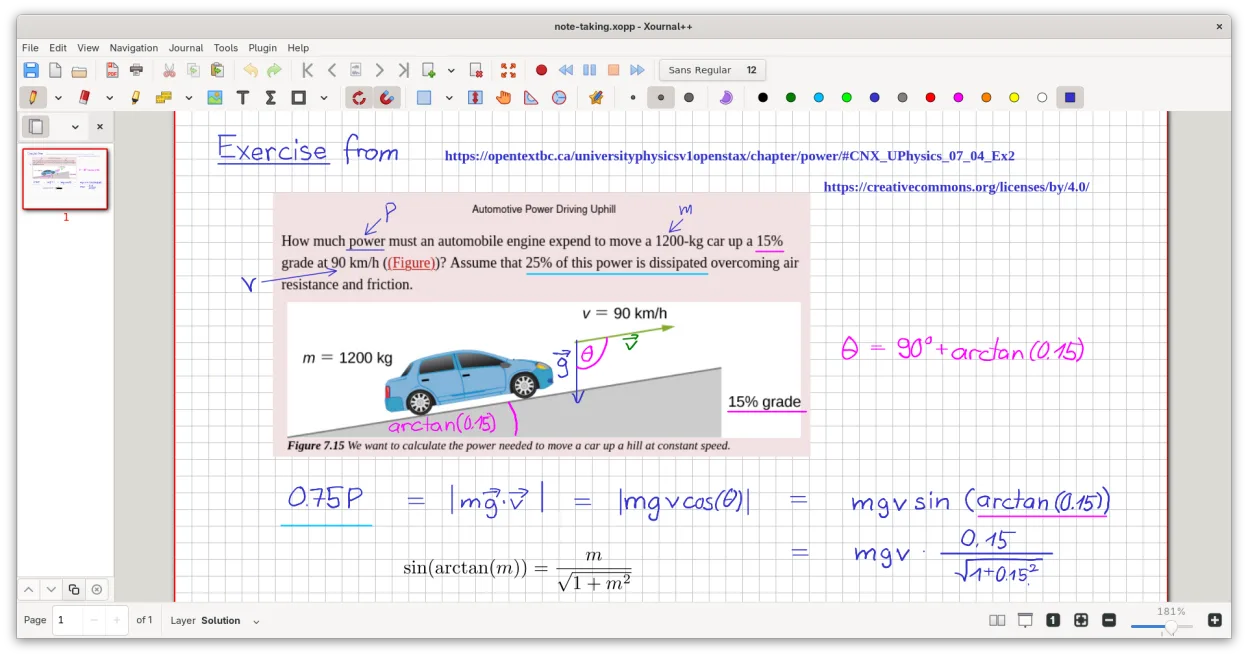
A cross-platform, open-source note-taking app for handwriting, PDF annotation, and whiteboarding with stylus support.
Xournal++ is a solid replacement for Microsoft Whiteboard if you prioritize handwriting, PDF annotation, and local whiteboarding over real-time collaboration. It excels with pen input, offers excellent stylus customization, and supports infinite canvas drawing with strong offline use. However, it…
Feature parity65% -

GIMP is a free, open-source raster graphics editor for photo editing, digital painting, and image composition.
GIMP is not a good replacement for Microsoft Whiteboard if you need real-time collaboration or a simple, intuitive digital whiteboard. While it supports freehand drawing, layers, and tablet input, it lacks shared canvases, sticky notes, and real-time syncing. GIMP excels at image editing and…
Feature parity30% -

Krita is a full‑featured open‑source digital painting and illustration program.
Krita is not a good replacement for Microsoft Whiteboard if you need real-time collaboration or simple note-taking. It excels at digital painting and illustration but lacks shared canvases, sticky notes, and lightweight annotation tools. However, for individuals who primarily want freehand drawing…
Feature parity40%


What is Microsoft Whiteboard?
Microsoft Whiteboard is used primarily in collaborative environments—teams, classrooms, or remote meetings—where visual thinking is key. It allows multiple users to sketch, add sticky notes, type ideas, and draw freely on a shared infinite canvas. Educators, project managers, and developers often use it for planning, diagramming, or teaching.
The app is free to use and supported by Microsoft, with no paid tiers. It integrates with Microsoft 365 and Teams, and while it offers sign-in for syncing, core functionality doesn’t require a subscription. Ads or upsells are not present, but features may vary slightly across platforms.
People seek Linux alternatives because Microsoft Whiteboard has no native Linux client. Even with web access, full functionality—especially real-time sync and touch input—may be limited outside Windows and mobile. Linux users want similar flexibility without switching operating systems.
What a replacement for Microsoft Whiteboard must do
- Real-time or shareable collaborative whiteboarding
- Freehand drawing and handwriting support
- Sticky notes, shapes, and text annotations
- Infinite or large canvas space
- Support for pen/tablet input
- Export and sharing capabilities
- Offline usability
Can you run Microsoft Whiteboard on Linux?
There is no native Linux version of Microsoft Whiteboard. The web version at whiteboard.microsoft.com works in modern browsers and supports basic functionality, including collaboration, but may lack full touch or pen responsiveness under Linux. It does not run reliably via Wine or Bottles—no known successful user reports confirm stable operation. For practical use on Linux, third-party alternatives are necessary.
Which alternative should you choose?
Xournal++ is best for handwritten notes and PDF annotation with stylus support, ideal for students and presenters. GIMP and Krita offer powerful drawing tools but are more complex and less focused on collaboration. ONLYOFFICE Desktop Editors suits users needing integrated document and whiteboard-style collaboration, especially if already using ONLYOFFICE. Lightweight, real-time collaboration isn’t fully matched by any single listed app, but Xournal++ comes closest for personal use.
Moving your Microsoft Whiteboard files and habits
Microsoft Whiteboard doesn’t export to standard image or vector formats directly; users typically take screenshots or save to OneDrive. There’s no bulk export option. To migrate content, manually save boards and import images into Linux apps. Xournal++ supports importing PDFs and images, allowing you to annotate over saved whiteboards. Full fidelity isn’t guaranteed, but visual continuity is possible with manual transfer.
Side-by-side comparison
Microsoft Whiteboard: frequently asked questions
Can I use Microsoft Whiteboard in a browser on Linux?
Yes, the web version at whiteboard.microsoft.com works in Chrome, Firefox, and Edge on Linux, with basic drawing and collaboration features.
Is Xournal++ a good replacement for handwritten notes?
Yes, Xournal++ supports stylus input, layers, and PDF annotation, making it excellent for handwritten notes and markups on Linux.
Can I collaborate in real time with these Linux alternatives?
Not directly—Xournal++, GIMP, Krita, and ONLYOFFICE lack built-in real-time sync. Collaboration requires external tools or file sharing.
Does Krita support whiteboard-style brainstorming?
Krita is powerful for drawing but is overkill for simple whiteboarding. It lacks sticky notes and structured elements, better suited for illustration.
How important is Microsoft Whiteboard to you?
Know a better alternative? Suggest an alternative