
Windows · Graphics
Best Linux alternatives to Adobe Lightroom CC
Lightroom is a non-destructive RAW editor and catalog manager for photographers, organized around a central database of images.
Updated
Quick answer
The best Linux alternative to Adobe Lightroom CC is darktable. Other strong options: RawTherapee, digiKam, Shotwell.
4 Linux alternatives to Adobe Lightroom CC
-
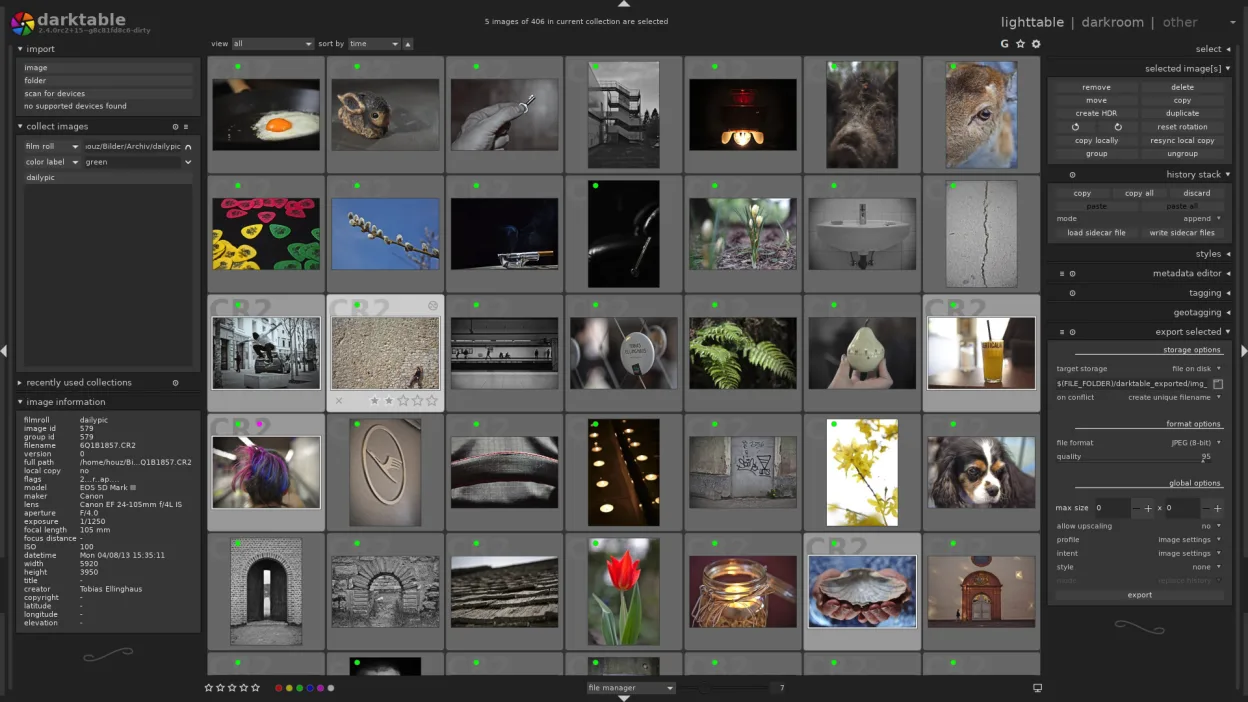
darktable is a free, open‑source photo editor that manages raw files and offers a full non‑destructive workflow.
darktable is a solid, free alternative to Adobe Lightroom CC for photographers who need non‑destructive RAW editing and cataloging. It covers most of the core workflow: import, develop, batch export, keyword tagging, rating, and presets. It is best suited for users who prefer open source…
Feature parity85% -

RawTherapee is an open‑source, cross‑platform raw photo development program.
RawTherapee is a strong replacement for the editing core of Lightroom CC, offering superior control over demosaicing and color science. It handles non-destructive RAW editing, batch processing, and advanced tone mapping well. However, it is not a full catalog manager. If your workflow relies…
Feature parity70% -
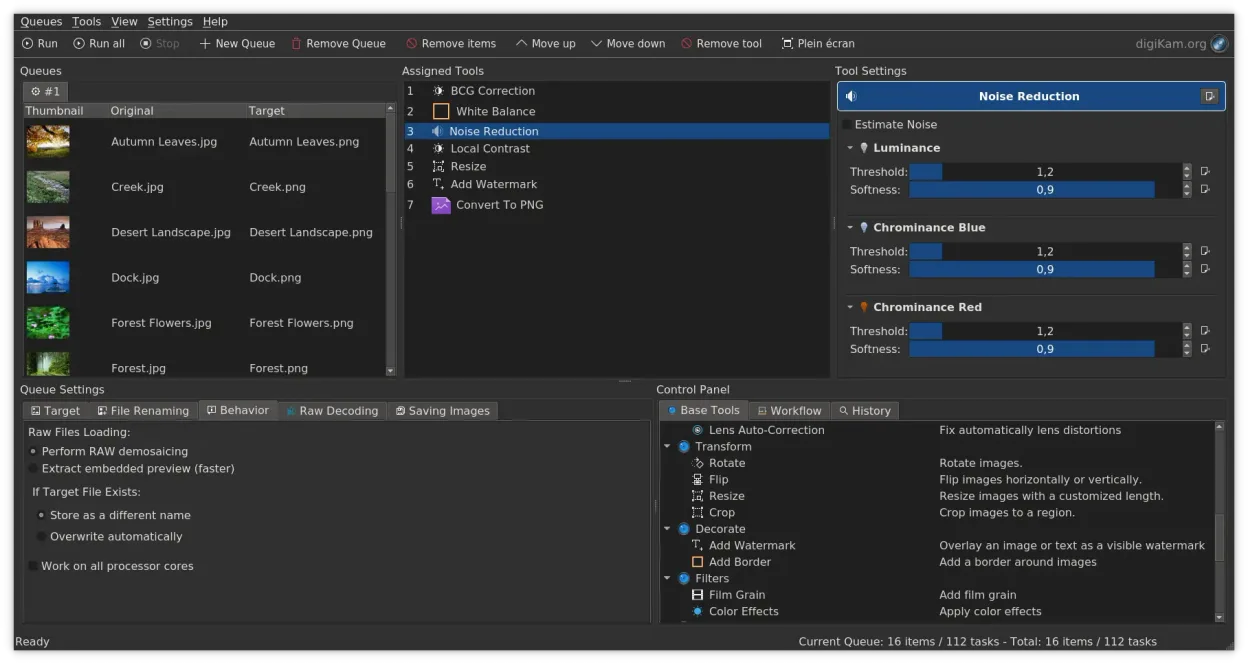
digiKam is a comprehensive KDE photo manager for organizing, tagging, and editing digital photos with strong RAW support.
digiKam can serve as a practical Lightroom replacement for photographers who need a free, Linux‑native tool for cataloguing and non‑destructive RAW editing. It shines for users comfortable with KDE/Qt environments and who value flexible tagging, powerful search, and batch processing. It lacks some…
Feature parity68% -
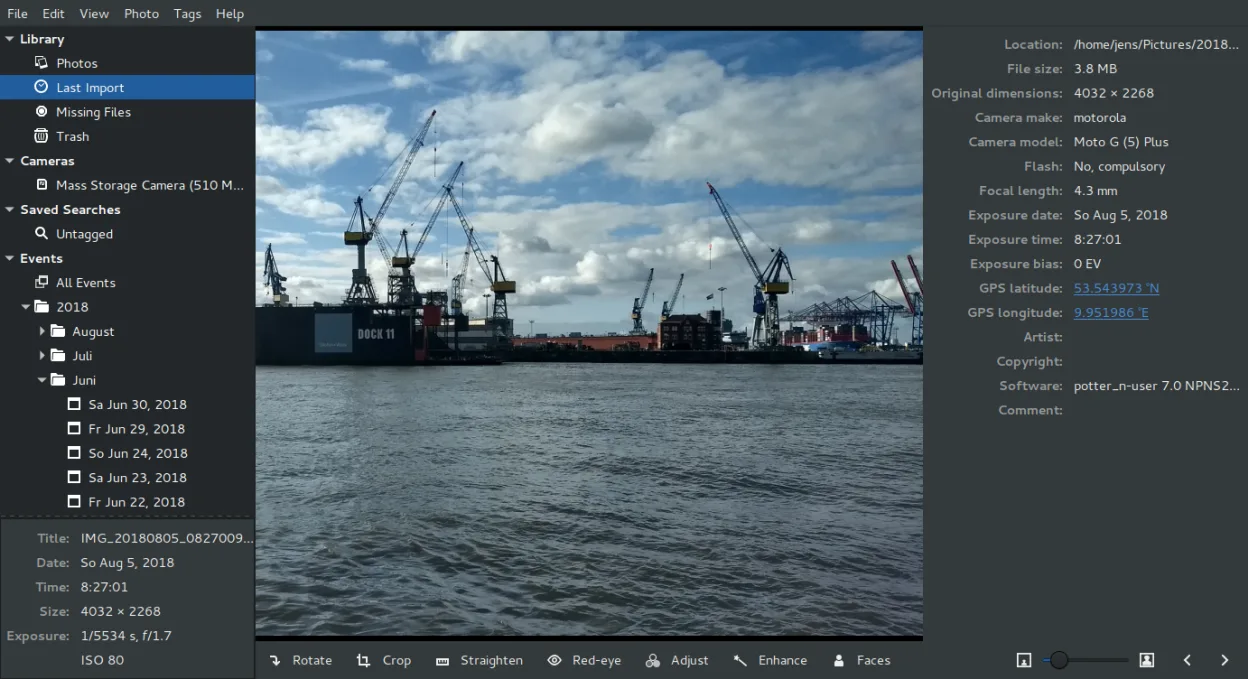
Shotwell is a GNOME photo manager for importing, organizing, and lightly editing images.
Shotwell is not a good replacement for Adobe Lightroom CC for professional photographers or serious enthusiasts who rely on advanced RAW editing, presets, and fine color grading. It works well for casual users who want basic organization, simple tagging, and light non-destructive edits like…
Feature parity35%




What is Adobe Lightroom CC?
Photographers use Lightroom to import, organize, and edit large batches of digital images. It serves as both a file manager and a development tool, allowing users to tag, rate, and apply non-destructive edits to RAW files. The interface is designed for workflow efficiency, handling thousands of photos without loading each into a heavy editor like Photoshop.
The software is licensed through Adobe Creative Cloud, requiring a monthly or annual subscription. It is not available as a one-time purchase. While there is a free mobile version with limited features, the full desktop application with cloud sync and advanced editing tools is a paid service. This recurring cost is a common friction point for users who prefer owning their software.
Users seek Linux alternatives primarily to avoid subscription fatigue and to run a fully open-source stack. Some prefer the local-first approach of Linux tools, which do not rely on cloud accounts for basic functionality. Others simply want a native application that integrates better with their file system and avoids the resource overhead of Adobe’s proprietary binaries.
What a replacement for Adobe Lightroom CC must do
- Non-destructive RAW editing
- Centralized image cataloging
- Batch processing and export
- Keyword tagging and rating
- Preset and profile management
- Color grading and tone controls
Can you run Adobe Lightroom CC on Linux?
Adobe does not provide a native Linux version of Lightroom. The application is not known to run reliably via Wine or Proton due to its complex dependencies and DRM checks. While a web-based version exists, it is limited and requires a Creative Cloud subscription. Therefore, users must rely on native Linux applications to replicate the core functionality.
Which alternative should you choose?
darktable is the closest functional equivalent, offering a similar darkroom-style workflow and powerful RAW processing. RawTherapee is a strong alternative for those who prefer a more technical, node-based approach to color correction. digiKam is best if your primary need is organizing and managing a large library, with decent editing capabilities. Shotwell is a lightweight option for casual users who need basic organization and simple adjustments without a steep learning curve.
Moving your Adobe Lightroom CC files and habits
You cannot directly import a Lightroom catalog (.lrcat) into these Linux tools. However, you can export your metadata (keywords, ratings, captions) from Lightroom as XMP sidecar files or embed them in the image files. Most Linux alternatives can read these XMP tags, preserving your organization. Your original RAW files remain untouched and fully compatible, so you only need to re-import the files into the new application’s database.
Side-by-side comparison
| App | License | Flatpak | Latest version | Feature parity | Rating |
|---|---|---|---|---|---|
| darktable | GPL-3.0+ | ✓ | 5.6.2 | 85% | — |
| RawTherapee | GPL-3.0+ | ✓ | 5.13 | 70% | — |
| digiKam | GPL-2.0+ | ✓ | 9.1.0 | 68% | — |
| Shotwell | LGPL-2.1+ | ✓ | 33.2 | 35% | — |
Adobe Lightroom CC: frequently asked questions
Can I use my Lightroom presets in darktable?
Yes, darktable can import Lightroom presets. You may need to convert them to .xmp format first, but the core adjustments usually translate well.
Is RawTherapee better than darktable for color?
It depends on preference. RawTherapee offers more granular control over color channels, while darktable has a more intuitive, module-based interface that mimics Lightroom.
Do these apps support cloud sync?
Generally, no. These are local-first applications. You can use tools like Syncthing or Nextcloud to sync your photo library across devices, but it is not built-in.
Which app is best for managing 50,000+ photos?
digiKam is likely the most robust for large libraries due to its advanced database features. darktable also handles large catalogs well, but digiKam’s file management is more comprehensive.
How important is Adobe Lightroom CC to you?
Know a better alternative? Suggest an alternative