
Windows · Office
Best Linux alternatives to Microsoft OneNote (UWP)
OneNote is a free, cloud-synced note-taking app for capturing text, drawings, and audio with multi-user collaboration features.
Updated
Quick answer
The best Linux alternative to Microsoft OneNote (UWP) is Joplin. Other strong options: Standard Notes, Simplenote, Zim.
4 Linux alternatives to Microsoft OneNote (UWP)
-

Joplin is an open‑source, cross‑platform note‑taking and to‑do app that stores data in Markdown.
Joplin can replace OneNote for users who mainly need free‑form note taking, markdown editing, and cross‑device sync. It works well for individuals or small teams that don’t rely heavily on real‑time co‑authoring inside the app. If you need tight integration with the Microsoft ecosystem, native…
Feature parity70% -
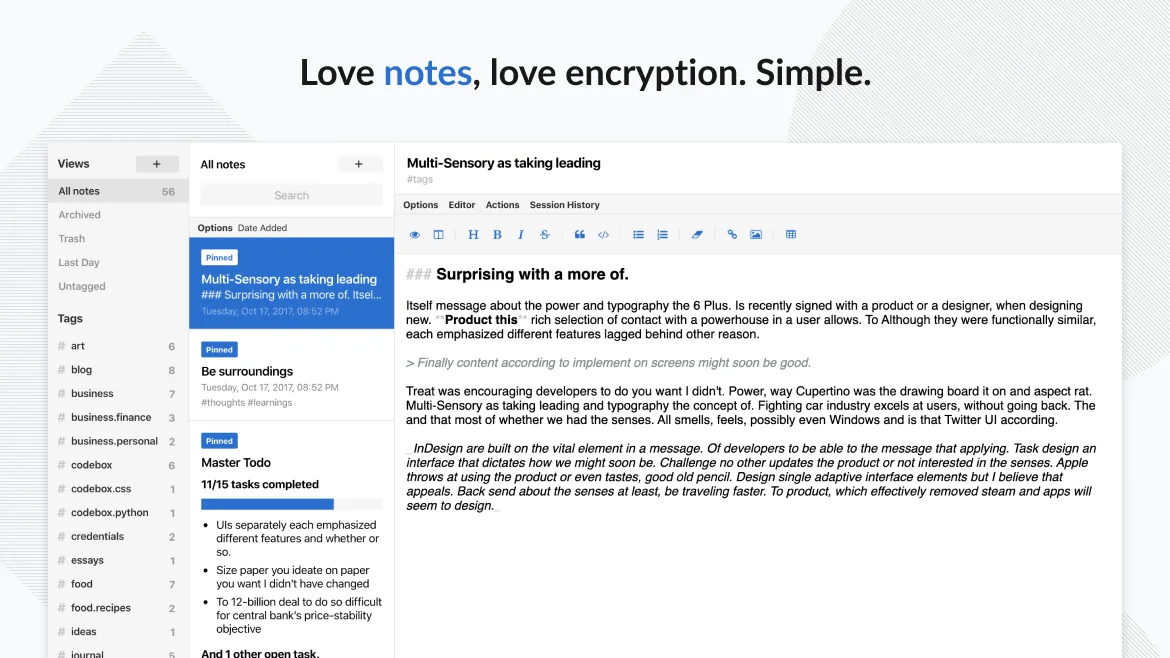
Standard Notes is a cross‑platform, end‑to‑end encrypted notes app that syncs securely across devices.
Standard Notes can replace OneNote for users who need a simple, secure note‑taking environment and don’t rely on heavy formatting, embedded media, or real‑time collaboration. It offers free‑form notes, offline access, tagging, and end‑to‑end encryption, but lacks OneNote’s rich drawing tools…
Feature parity55% -

Simplenote is a free, cross‑platform note‑taking app that syncs Markdown notes via the cloud.
Simplenote is a decent replacement for Microsoft OneNote (UWP) if your note-taking is text-focused and you value simplicity over rich formatting or multimedia. It handles plain text, Markdown, tags, and basic collaboration well, with solid cross-platform sync. However, it lacks support for…
Feature parity50% -
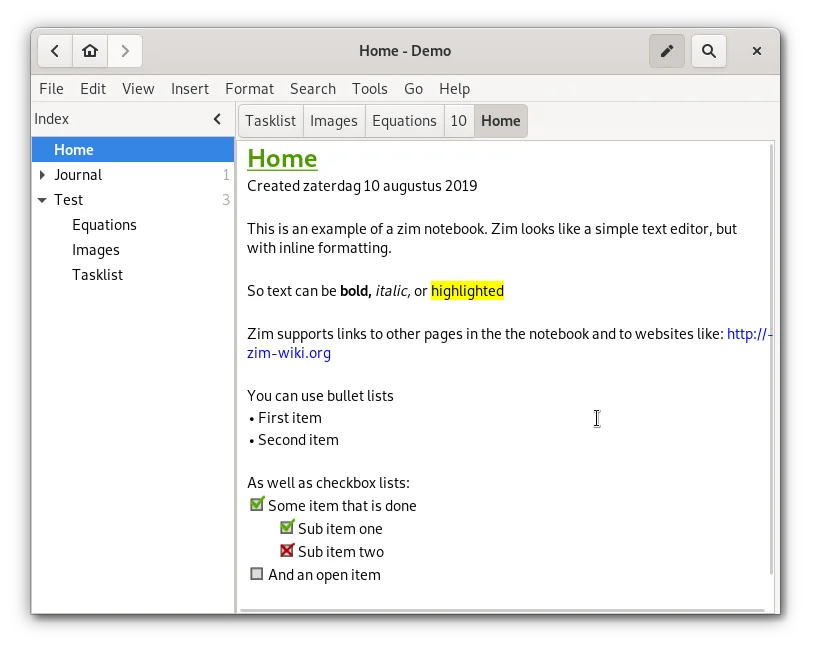
Zim is a desktop wiki for taking and organizing notes in plain text files.
Zim is a solid replacement for OneNote if you prioritize local control and plain-text storage over cloud collaboration. It handles hierarchical organization, attachments, and basic media well. However, it lacks real-time multi-user editing and native cloud sync, which are core OneNote features…
Feature parity60%




What is Microsoft OneNote (UWP)?
Microsoft OneNote serves as a flexible digital notebook for students, professionals, and teams who need to capture unstructured information. It handles text, hand-drawn sketches, screen clippings, and audio recordings in a free-form canvas. The interface allows users to organize thoughts hierarchically without rigid templates, making it popular for meeting minutes, research notes, and collaborative planning sessions.
The software is available for free on all major platforms, including Windows, macOS, iOS, and Android. It is also bundled with Microsoft 365 subscriptions and one-time purchase Office suites. The core functionality relies on OneDrive for synchronization, meaning your notes are stored in the cloud and accessible from any device with an internet connection and a Microsoft account.
Users seek Linux alternatives primarily because the native OneNote application for Linux is often limited or requires workarounds like Wine. Many Linux users prefer native applications that integrate better with the desktop environment, offer offline-first capabilities, or provide more granular control over data storage. Additionally, privacy-conscious users may want to avoid relying on Microsoft's cloud infrastructure for their personal notes.
What a replacement for Microsoft OneNote (UWP) must do
- Free-form or flexible note organization
- Cloud synchronization across devices
- Support for text, images, and attachments
- Offline access capabilities
- Multi-user collaboration features
- Export options to standard formats
Can you run Microsoft OneNote (UWP) on Linux?
Microsoft provides a native Linux version of OneNote, but it is significantly more limited than the Windows or web versions. It lacks some advanced features and may not sync as reliably. The web version works in any browser on Linux, offering full functionality but requiring an internet connection. Running the Windows UWP app via Wine or Proton is generally not recommended due to UWP's heavy reliance on Windows-specific subsystems, which often leads to instability or missing features. For most users, the native Linux app or the web version are the only viable direct options.
Which alternative should you choose?
If you prioritize end-to-end encryption and a clean, minimal interface, Standard Notes is a strong choice. For users who need a powerful, local-first knowledge base with markdown support and plugin extensibility, Joplin is the best fit. Simplenote is ideal for quick, lightweight notes that sync easily between devices without complex setup. Zim suits users who prefer a wiki-style structure for organizing interconnected notes locally. Turtle is a good option for those who want a simple, distraction-free writing environment with basic note-taking features.
Moving your Microsoft OneNote (UWP) files and habits
Migrating from OneNote involves exporting your notebooks. OneNote can export entire notebooks or individual sections to HTML, PDF, or MHTML formats. These files can then be imported into Joplin or other markdown-based tools, though formatting may need manual adjustment. Since OneNote uses a proprietary binary format for its main storage, direct file copying is not feasible. You should verify that all media, such as images and audio, is included in the export before deleting your OneNote data. For Standard Notes or Simplenote, you will likely need to manually copy text or use intermediate formats like markdown or HTML.
Side-by-side comparison
| App | License | Flatpak | Latest version | Feature parity | Rating |
|---|---|---|---|---|---|
| Joplin | AGPL-3.0-or-later | ✓ | 3.7.21 | 70% | — |
| Standard Notes | AGPL-3.0-only | ✓ | 3.203.0 | 55% | — |
| Simplenote | GPL-2.0-only | ✓ | 2.24.0 | 50% | — |
| Zim | GPL-2.0+ | ✓ | 0.77.2 | 60% | — |
Microsoft OneNote (UWP): frequently asked questions
Does OneNote work offline on Linux?
The native Linux version of OneNote has limited offline capabilities compared to the Windows app. The web version requires an active internet connection to access notes. If offline access is critical, a local-first alternative like Joplin or Zim is recommended.
Can I sync OneNote with a self-hosted server?
No, OneNote requires Microsoft OneDrive for synchronization. It does not support syncing with self-hosted solutions like Nextcloud or Syncthing directly. You would need to use a third-party tool or switch to a different note-taking application that supports self-hosting.
Is OneNote secure for sensitive data?
OneNote data is encrypted in transit and at rest on Microsoft's servers, but it is not end-to-end encrypted by default. If you need end-to-end encryption, consider Standard Notes or Joplin with encryption enabled, as they offer stronger privacy guarantees for sensitive information.
Which Linux alternative is closest to OneNote's free-form canvas?
None of the listed alternatives perfectly replicate OneNote's free-form canvas with drawing capabilities. Joplin and Zim are more structured and text-focused. If free-form drawing is essential, you may need to use a dedicated drawing app alongside a note-taking tool, or stick with the OneNote web version.
How important is Microsoft OneNote (UWP) to you?
Know a better alternative? Suggest an alternative