
Windows · Internet
Best Linux alternatives to Microsoft Teams (2026 updated client)
Microsoft Teams is a collaboration platform for chat, video meetings, and file sharing, primarily used in workplaces and schools.
Updated
Quick answer
The best Linux alternative to Microsoft Teams (2026 updated client) is Element. Other strong options: Franz, Mattermost, Signal Desktop.
4 Linux alternatives to Microsoft Teams (2026 updated client)
-

Element is an open‑source, matrix‑based chat and video‑conference client for Linux.
Element is a solid replacement for Microsoft Teams if your organization values decentralization, end-to-end encryption, and open standards. It supports video meetings, persistent chat rooms, file sharing, and screen sharing, all with strong privacy. However, it lacks deep integration with Microsoft…
Feature parity75% -
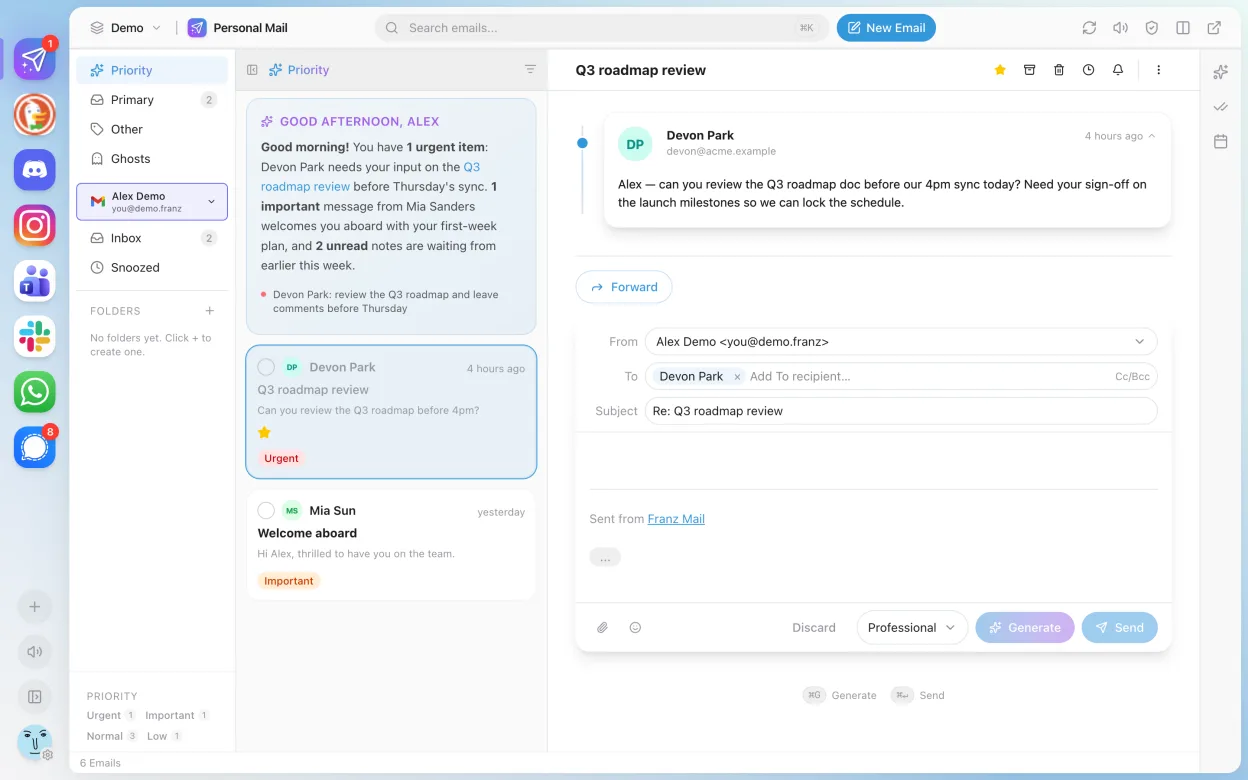
Franz is a desktop messenger that combines multiple chat services into one interface.
Franz is not a direct replacement for Microsoft Teams (2026 updated client). It aggregates messaging services but does not natively support Teams. If your workplace uses Teams heavily, Franz won’t help you join calls, share screens, or collaborate in channels. However, if you're managing multiple…
Feature parity20% -
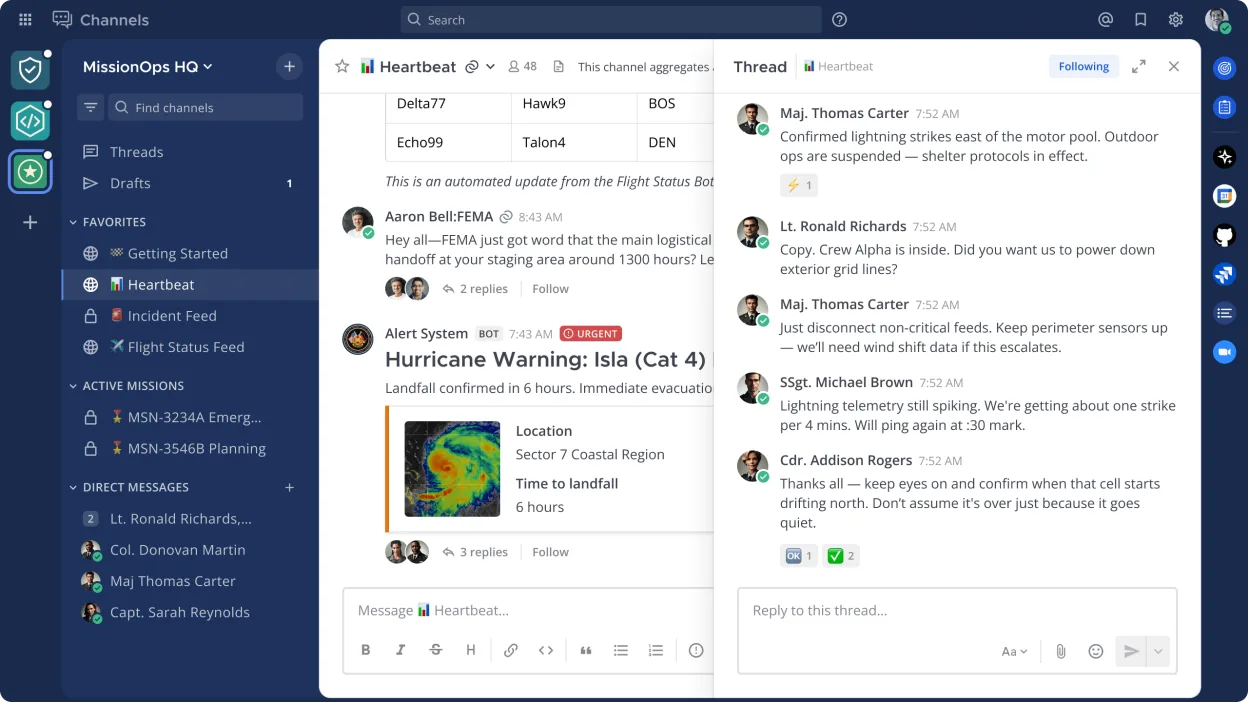
Mattermost is an open source, self-hostable collaboration platform designed for developer teams needing secure messaging and workflow integration.
Mattermost is a solid replacement for Microsoft Teams (2026 updated client) if you prioritize self-hosting, security, and integration with developer tools. It covers core collaboration features like persistent chat, file sharing, and searchable history, and supports mobile and desktop clients…
Feature parity70% -

Signal Desktop is a free, open‑source private messenger for Linux, syncing messages and calls with the Signal mobile app.
Signal Desktop is not a good replacement for Microsoft Teams (2026 updated client) for workplace or school teams needing full collaboration tools. While it handles basic chat, voice, and video calls well, it lacks built-in calendar integration, task management, centralized team administration, and…
Feature parity45%




What is Microsoft Teams (2026 updated client)?
Microsoft Teams is widely used by businesses and educational institutions for team communication, video conferencing, and real-time collaboration. It integrates with Office 365 and supports channels, direct messaging, and app extensions. Teams has become standard in many corporate and academic environments, especially since the rise of remote work.
The software is free to use with limited features, but full functionality requires a Microsoft 365 subscription, which is paid. Licensing is typically managed through organizations, meaning individual users often don’t pay directly. The service is tightly integrated with Microsoft’s ecosystem, making it common in Windows-centric environments.
People seek Linux alternatives because Teams lacks full native support on Linux and has limited feature parity compared to Windows or macOS. Performance under compatibility layers can be spotty, and privacy-conscious or fully open-source workflows prefer decentralized or self-hosted options. Users also want to avoid vendor lock-in and reduce reliance on Microsoft services.
What a replacement for Microsoft Teams (2026 updated client) must do
- Video and audio conferencing
- Persistent chat and group messaging
- File sharing within teams
- Integration with calendars or task tools
- Support for screen sharing
- Cross-platform client availability
- Searchable message history
Can you run Microsoft Teams (2026 updated client) on Linux?
There is a native Linux client for Microsoft Teams, but it's based on Electron and can be resource-heavy. The 2026 updated client details are not yet public, so Linux support remains uncertain. Some users run it via web browsers, which works but may lack desktop integration. Performance under Wine or Proton is not reliable and not recommended; Bottles may help but doesn’t guarantee functionality.
Which alternative should you choose?
For organizations wanting self-hosted, secure chat, Mattermost is ideal. Franz supports Teams in a unified interface but is better for light users. Element fits those preferring decentralized, open protocols like Matrix. Signal Desktop works only for 1:1 messaging, not team collaboration. Wireshark is unrelated—it's a network analyzer, not a Teams alternative.
Moving your Microsoft Teams (2026 updated client) files and habits
Exporting chat history or files from Teams requires manual downloading or admin-level exports, as there's no standard export format. Files stored in SharePoint or OneDrive can be migrated separately. Most Linux alternatives use different backends and protocols, so direct migration isn't possible. Users must re-establish contacts and workflows in the new platform.
Side-by-side comparison
| App | License | Flatpak | Latest version | Feature parity | Rating |
|---|---|---|---|---|---|
| Element | AGPL-3.0-only OR… | ✓ | 1.12.35 | 75% | — |
| Franz | Apache-2.0 | ✓ | 6.3.1 | 20% | — |
| Mattermost | Apache-2.0 | ✓ | 6.4.0 | 70% | — |
| Signal Desktop | AGPL-3.0-only | ✓ | 8.35.0 | 45% | — |
Microsoft Teams (2026 updated client): frequently asked questions
Can I use Microsoft Teams on Linux?
Yes, there's a native Linux client, but it's limited in features and performance compared to Windows.
Is Microsoft Teams free on Linux?
The basic version is free, but full features require a Microsoft 365 subscription, same as on other platforms.
Can I join Teams meetings from a Linux alternative?
Only if the alternative supports Teams links or SIP integration. Most don’t; you may need a browser fallback.
Does Teams on Linux support screen sharing?
Yes, but it can be unreliable depending on desktop environment and permissions.
How important is Microsoft Teams (2026 updated client) to you?
Know a better alternative? Suggest an alternative