
Windows · Programming
Best Linux alternatives to JetBrains PyCharm
PyCharm is a Python IDE with debugging, testing, and VCS integration, available natively on Linux.
Updated
Quick answer
The best Linux alternative to JetBrains PyCharm is Visual Studio Code. Other strong options: Spyder, Thonny, Geany.
6 Linux alternatives to JetBrains PyCharm
-

A lightweight, extensible code editor that supports debugging, Git, and many languages.
Visual Studio Code can replace JetBrains PyCharm for many Python developers who want a lightweight, highly customizable environment. It supports syntax highlighting, autocompletion via extensions, debugging, unit testing, Git integration, virtual‑env management, and refactoring tools, though some…
Feature parity70% -
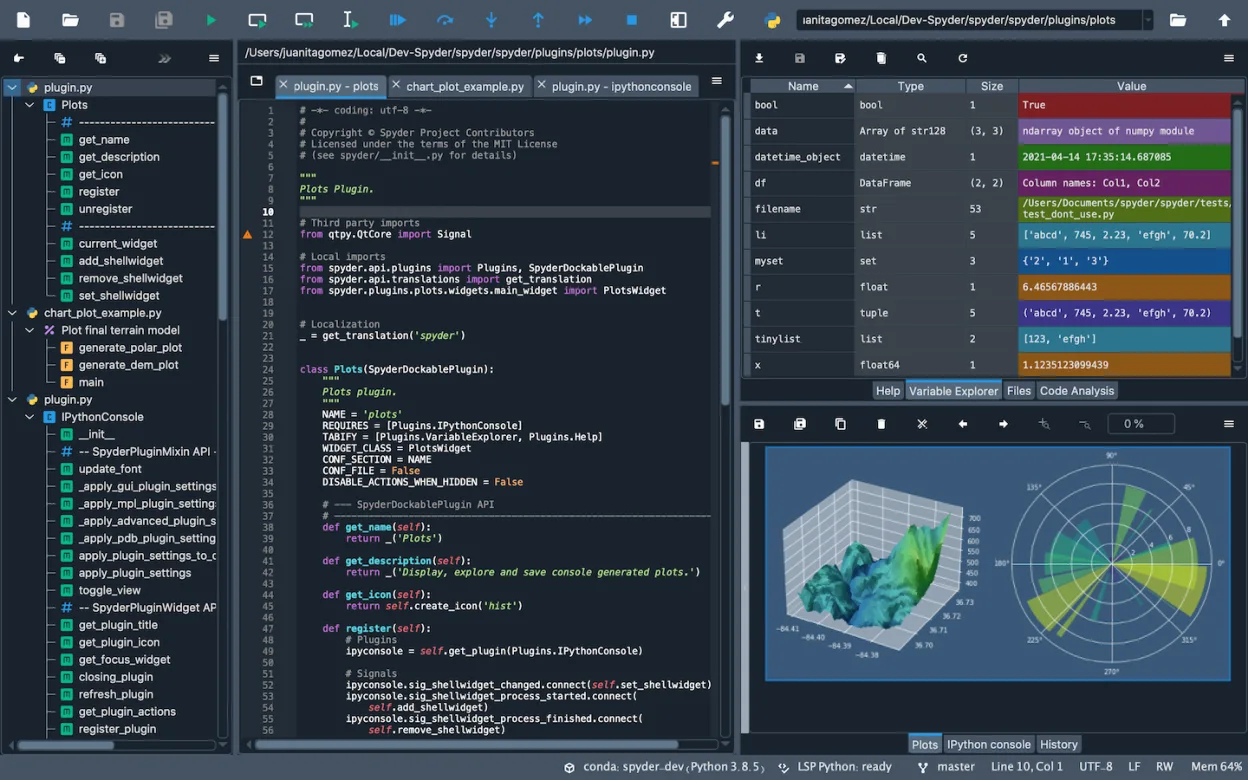
Spyder is a free, open-source Python IDE built specifically for scientific computing, data analysis, and debugging.
Spyder can replace PyCharm for users who focus on scientific work, data analysis, and interactive debugging. It offers solid code completion, a powerful debugger, and version‑control integration, plus a variable explorer and rich console that PyCharm lacks. However, it is not as feature‑rich for…
Feature parity70% -
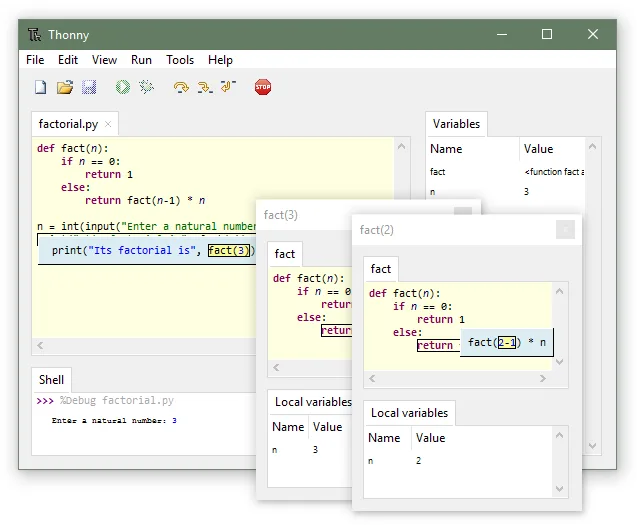
Thonny is a lightweight, beginner‑focused Python IDE with an integrated visual debugger and simple package manager.
Thonny is not a full replacement for JetBrains PyCharm. It works well for beginners and small scripts, offering syntax highlighting, autocompletion, a visual debugger, and a simple package manager. Advanced users who need sophisticated refactoring, multi‑project management, or deep VCS integration…
Feature parity35% -
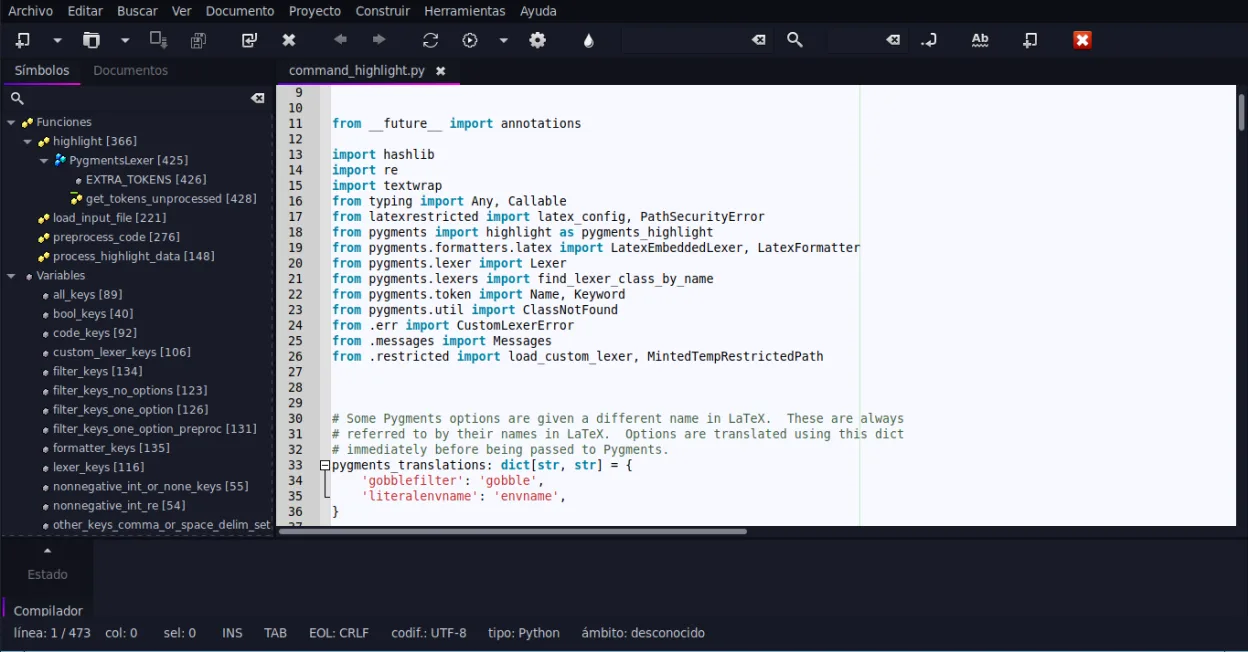
Geany is a lightweight, fast IDE that supports many languages and plugins out of the box.
Geany is not a direct replacement for PyCharm. It is a lightweight, general-purpose IDE that handles basic Python editing, but it lacks PyCharm's deep project awareness, integrated testing frameworks, and advanced refactoring tools. If you need a full-featured Python environment with virtual…
Feature parity30% -

Kate is a feature-rich, programmer-focused text editor from KDE with support for 300+ languages and advanced editing tools.
Kate can replace PyCharm for simple Python scripting and small projects, especially if you prefer a lightweight editor with LSP-based autocompletion and debugging via DAP. It lacks the full IDE experience—no integrated test runner UI, no advanced refactoring, and no virtual‑environment wizard—so it…
Feature parity45% -

Vim is a highly configurable, modal text editor for efficient editing on Linux.
Vim can replace PyCharm for users who prefer a lightweight, keyboard‑driven workflow and are comfortable configuring plugins. It offers Python syntax highlighting, autocompletion via plugins like YouCompleteMe or coc.nvim, and debugger integration with tools such as vimspector. However, it lacks an…
Feature parity45%





What is JetBrains PyCharm?
PyCharm is a dedicated IDE for Python development, favored by backend engineers and data scientists. It handles complex projects with features like code analysis, a graphical debugger, and unit testing. Developers use it to manage large codebases efficiently, often integrating it with version control systems like Git for collaborative workflows.
JetBrains offers PyCharm in two editions: Community, which is free and open-source, and Professional, which is a paid subscription. The Professional edition adds support for web frameworks like Django, scientific Python, and remote development. Both versions are built on the IntelliJ platform, providing a consistent user experience across JetBrains' other IDEs.
Since PyCharm is cross-platform, users rarely need a replacement due to lack of Linux support. However, some developers switch to lighter tools to reduce system resource usage, or they prefer open-source ecosystems. Others may migrate to VS Code for its plugin flexibility or to Vim for speed, depending on their specific workflow preferences and hardware constraints.
What a replacement for JetBrains PyCharm must do
- Python syntax highlighting and autocompletion
- Integrated graphical debugger
- Unit testing framework support
- Version control system integration
- Virtual environment management
- Code refactoring tools
Can you run JetBrains PyCharm on Linux?
PyCharm has a native Linux binary, so it runs directly on most distributions without compatibility layers. You can download the .tar.gz archive from JetBrains' website and extract it to your home directory. It does not require Wine or Proton. The application is self-contained, though it may need standard dependencies like a Java runtime for certain features, which are usually included or easily installed via package managers.
Which alternative should you choose?
If you want a full-featured IDE similar to PyCharm, Visual Studio Code is the closest alternative, especially with the Python extension. For scientific computing, Spyder is a strong choice as it is built specifically for data analysis. Thonny is best for beginners or simple scripts due to its simplicity. Geany and Kate are lightweight editors suitable for quick edits or users who prefer minimal resource usage. Vim is for advanced users who want maximum speed and keyboard-driven efficiency.
Moving your JetBrains PyCharm files and habits
Migrating from PyCharm involves transferring your project files, which are standard Python code and configuration files. Your virtual environments, typically located in the project directory or a central location, can be recreated using the same dependencies. While you cannot directly import PyCharm's internal project settings, you can manually configure your new environment to match your Python interpreter and debug settings. Version control history remains intact as it is stored in the repository, not the IDE.
Side-by-side comparison
JetBrains PyCharm: frequently asked questions
Is PyCharm free on Linux?
The Community edition is free and open-source on all platforms, including Linux. The Professional edition requires a paid subscription but offers additional features for web and scientific development.
Can I use PyCharm with Docker?
Yes, PyCharm Professional supports Docker integration, allowing you to run and debug Python code inside containers. This feature is not available in the Community edition.
Does PyCharm support Jupyter Notebooks?
Yes, both editions support Jupyter Notebooks, allowing you to create, edit, and execute notebook cells directly within the IDE.
Is PyCharm heavy on system resources?
PyCharm is a Java-based application and can be resource-intensive, especially with large projects. It requires a decent amount of RAM to run smoothly, which is why some users prefer lighter alternatives.
How important is JetBrains PyCharm to you?
Know a better alternative? Suggest an alternative