
Windows · Internet
Best Linux alternatives to Mozilla Thunderbird
Thunderbird is a free, open‑source desktop email client with multi‑account, IMAP/POP, calendar and add‑on support.
Updated
Quick answer
The best Linux alternative to Mozilla Thunderbird is Evolution. Other strong options: KMail, Geary, Mailspring.
6 Linux alternatives to Mozilla Thunderbird
-
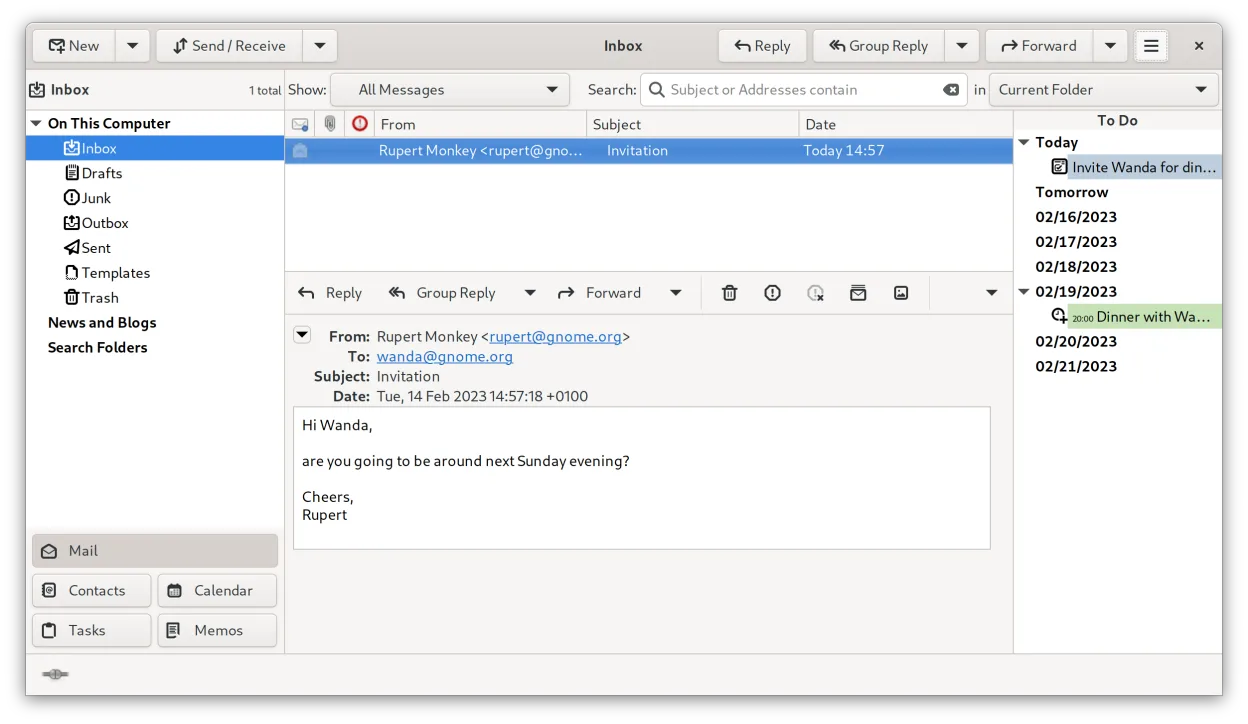
Evolution is a full‑featured personal information manager that combines email, calendar, contacts and tasks into one application.
Evolution can replace Thunderbird for users who want a single application that handles mail, calendar, contacts and tasks. It supports IMAP, POP3, SMTP, CalDAV, and Exchange via EWS, and offers built‑in encryption, LDAP integration and advanced filtering. Users who rely heavily on Thunderbird…
Feature parity80% -

KMail is KDE's full-featured email client, part of the Kontact suite, supporting IMAP, POP3, and local mailboxes.
KMail can replace Thunderbird for users who already use KDE or prefer a tightly integrated PIM stack. It supports IMAP/POP, multiple accounts, local storage, calendar and contacts via Akonadi, and add‑on style extensions. Users who rely on Thunderbird’s specific add‑ons, or who use a non‑KDE…
Feature parity80% -

Geary is a GNOME‑based email client for Linux that lets you send, receive, and organize mail in conversation view.
Geary is a solid, lightweight replacement for Thunderbird if you prioritize a clean, conversation-based interface and GNOME integration over extensive customization. It handles multiple IMAP accounts, search, and basic email tasks well. However, it is not a drop-in swap for power users. You lose…
Feature parity60% -

A fast, feature-rich desktop email client for Linux with a C++ sync engine and unified inbox.
Mailspring can replace Thunderbird for users who want a modern, low‑resource client with a unified inbox, snooze, send‑later, and mail rules. It handles IMAP/POP, multiple accounts, local storage, and a calendar via the Lightning add‑on equivalent. It is best for people who prefer a clean interface…
Feature parity70% -
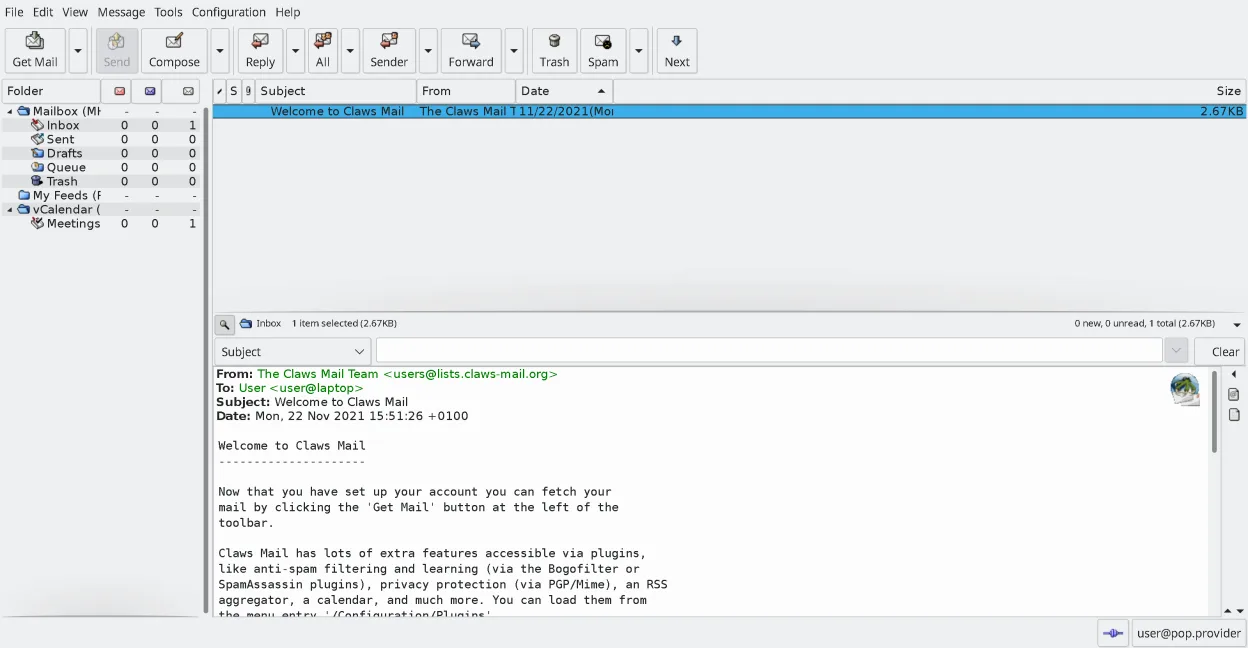
Claws Mail is a lightweight, fast GTK‑based email client for Linux.
Claws Mail can replace Thunderbird for users who need a lightweight, keyboard‑centric client that handles multiple accounts, IMAP/POP, and local storage efficiently. It lacks a native calendar and contact integration, and composing HTML mail requires plugins. It suits power users and those who…
Feature parity70% -

Proton Mail is a free, end‑to‑end encrypted email client for Linux, available as a Flathub app.
Proton Mail can replace Thunderbird for users who only need to handle Proton Mail accounts and value end‑to‑end encryption. It supports multiple accounts, folders, labels, a calendar‑like view, and add‑on‑like extensions, so day‑to‑day email work is covered. However, it does not support generic…
Feature parity70%






What is Mozilla Thunderbird?
Thunderbird is a cross‑platform email client used by individuals and small teams who need a full‑featured, locally stored mailbox with calendar, contacts and RSS support. It runs on Windows, macOS, Linux and a few other OSes and is maintained by the community‑driven Thunderbird project under the Mozilla umbrella.
The software is released under the MPL‑2.0 license, meaning it is free to download, use and modify without any cost. There is no paid tier; all features are available to everyone.
Linux users often look for alternatives because they prefer native Linux applications that integrate better with their desktop environment, use system libraries, or avoid running a Windows version under compatibility layers. Native options also tend to follow the distro’s update cycle and can be managed through package managers.
What a replacement for Mozilla Thunderbird must do
- Send/receive email via IMAP and POP
- Multiple account handling
- Local storage of messages and folders
- Integrated calendar and contacts
- Support for add‑ons or extensions
- RSS feed reading
- Search and filtering capabilities
Can you run Mozilla Thunderbird on Linux?
Thunderbird has an official native Linux build that is packaged for most distributions, so you can install it directly from your distro’s repositories or from Mozilla’s website. No Wine, Proton or Bottles are needed. If you prefer a web‑based approach, you can also access your mail through any browser, but the full client is available natively on Linux.
Which alternative should you choose?
If you want a full‑featured, Outlook‑like experience, Evolution is a solid choice; KMail suits KDE users; Geary offers a simple, GNOME‑centric UI; Mailspring provides modern styling and a built‑in contact manager; Claws Mail is lightweight and highly configurable; Proton Mail is ideal for encrypted, web‑based mail only.
Moving your Mozilla Thunderbird files and habits
Thunderbird stores messages in the mbox format and contacts in vCard files, both of which are widely supported. Most Linux alternatives can import mbox folders directly (Evolution, KMail, Claws Mail) and read vCard contacts. Export your address book as .ldif or .vcf, then use the target client’s import wizard. Calendar data can be exported as .ics and imported similarly.
Side-by-side comparison
| App | License | Flatpak | Latest version | Feature parity | Rating |
|---|---|---|---|---|---|
| Evolution | GPL-2.0+ and GFDL-1.3 | ✓ | 3.62.1 | 80% | — |
| KMail | GPL-2.0-or-later | — | 26.08.3 | 80% | — |
| Geary | LGPL-2.1+ | ✓ | 46.0 | 60% | — |
| Mailspring | GPL-3.0+ | ✓ | 1.26.2 | 70% | — |
| Claws Mail | GPL-3.0-only | ✓ | 4.4.0 | 70% | — |
| Proton Mail | GPL-3.0 | ✓ | 1.16.1 | 70% | — |
Mozilla Thunderbird: frequently asked questions
Can I keep my existing Thunderbird profile when switching?
Yes, copy the profile folder (usually ~/.thunderbird) and point the new client to the mbox files; most Linux mail apps can read them directly.
Do any of the alternatives support Thunderbird add‑ons?
Add‑ons are Thunderbird‑specific; you’ll need to find comparable extensions or built‑in features in the new client.
Is there a command‑line way to migrate?
Tools like imapsync or mb2md can copy messages between servers, and mbox‑to‑maildir converters help when the target client prefers Maildir.
Will my RSS feeds move automatically?
Export the feeds list (OPML file) from Thunderbird and import it into the new client if it supports RSS, such as Evolution.
How important is Mozilla Thunderbird to you?
Know a better alternative? Suggest an alternative